A map of solo game development: what Blender, AI, and a game engine each do, and the steps to your first game
When you make a game alone, Blender, an AI assistant, and a game engine each take a different part of the work. This guide sorts out who does what, lays out seven steps to a first finished game, and shows notes from making small games in Godot. It is the starting page of a five-part series on solo development.
한국어English
ON THIS PAGE
- 011. What each tool does
- 022. What Blender does: the things that go into the game
- 033. What AI does: code and checks
- 044. What the game engine does: running in real time
- 055. Seven steps to a first game
- 066. What happened when I tried it
- 077. The five parts of this series
- 088. What you need and what it costs
- 09Common misconceptions
- 10Summary
- 11References
Based on: Godot 4.7.2 (Standard, Windows, English UI), Blender 5.2, Claude Code, and the official Godot 4.7 docs. Checked in November 2026. All figures are real Godot editor and game screens and real Blender images. Text inside the game screens is Korean.
A game holds the work of several people: someone who makes the art, someone who writes the code, someone who makes the sound, and someone who sets the rules. In a studio, these jobs are split among a team. In solo development, one person does all of them. Today, tools take a large part of that load. Blender makes the 3D models, an AI assistant writes the code, and a game engine runs everything in real time.
This is the first part of the series "Solo development with Blender, AI, and a game engine", and it works as a map. It covers what each of the three tools does and does not do, the order of steps to a first game, and what happened when I actually made small games in Godot. This guide explains how the work splits across the three tools and the overall path to a first game.
1. What each tool does
| Tool | Does | Does not do |
|---|---|---|
| Blender | Makes 3D models, materials, skeletons (rigs), and animations. Exports files a game engine can read | Read keyboard input, keep score, run the game in real time |
| AI coding assistant | Writes and fixes game code, writes export scripts, runs automatic checks, reads error messages and finds the cause | Judge whether the game is fun, decide what to make, play the game |
| Game engine | Combines models, light, sound, input, and physics, and redraws the screen dozens of times a second. Exports a playable file | Make models (beyond simple shapes), decide the game rules |
Think of a puppet show. Blender is the workshop where the puppets are carved and dressed. The game engine is the stage where the puppets move in front of the audience. The AI is a stagehand who quickly rigs the strings and props to the script. Whether the show is fun, though, is decided by someone who watches it from the seats.
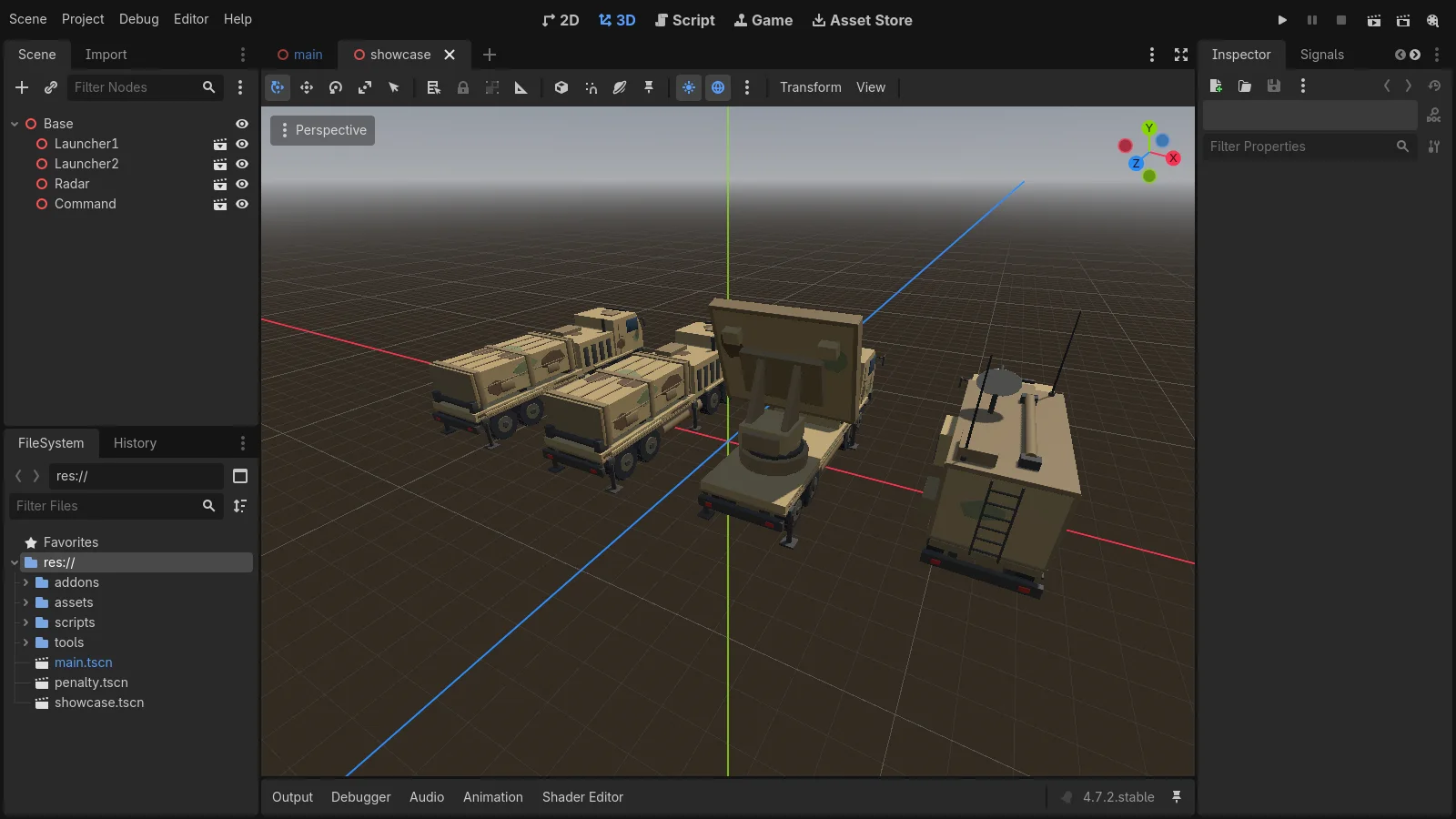 Figure 1. Three kinds of models made in Blender, placed in a scene in the Godot editor. Top left is the list of parts in the scene, bottom left is the project folder, and the middle is the 3D view (Godot editor screenshot)
Figure 1 is not a game screen. It is a separate scene made in the editor to look at the models. The truck models were made in Blender, and the game engine (Godot) reads those files and places them in the scene. The actual game screen is Figure 4 in section 6.
2. What Blender does: the things that go into the game
Blender is a free 3D program. In game development, it mostly makes assets. Assets are the material files that go into a game: models, textures, animations, sounds, and so on. In a stage play, they are the props and costumes.
A game engine can make simple shapes like boxes and spheres. But objects with complex shapes, like trucks or people, are usually made in a 3D program like Blender and passed over as files. glTF (.glb) is a common choice. glTF is an open file format for exchanging 3D models, and the official Godot docs recommend it for importing 3D scenes.
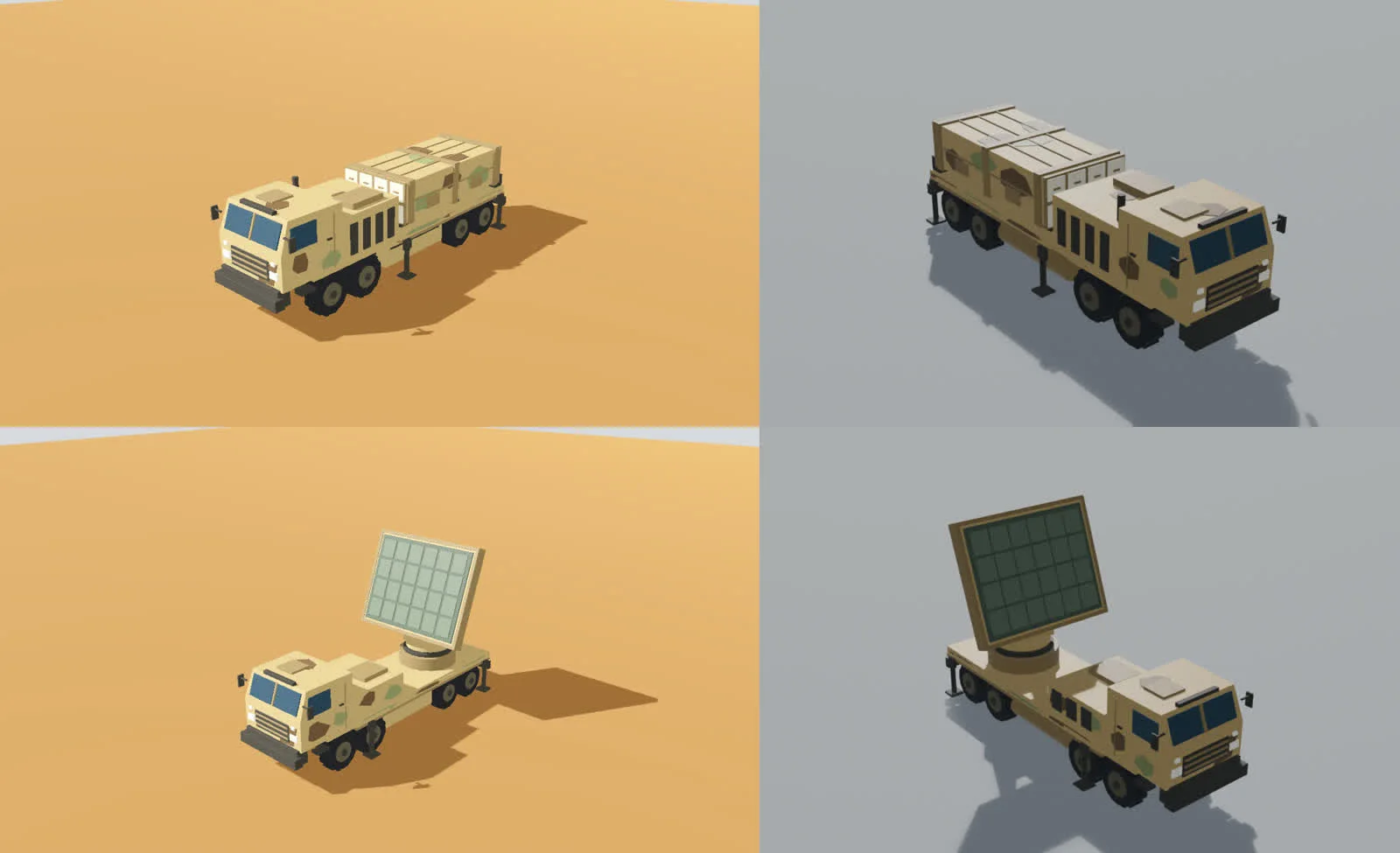 Figure 2. The same models in Godot (left) and Blender (right). The top is the launcher and the bottom is the radar (Godot screenshot, Blender render)
Try it: After you move a model over, as in Figure 2, put the Blender image and the engine image side by side. First check size, direction, and color by eye, then compare the dimensions as numbers too. In my notes, all 8 models came in with zero difference in dimensions, and the part names stayed the same. Still, moving the models and characters hit five snags, such as missing colors and a floor plane coming along with the model. Each export setting is covered in Moving Blender models into Godot 4.7.
If you have never opened Blender, start with Blender beginner series, chapter 1: install. Game models work best with a low face count. The reason is in Low-poly style basics.
3. What AI does: code and checks
The AI here is a coding assistant that writes code and edits files as you talk to it. In my notes, I used Claude Code. Claude Code runs in a terminal (a window where you type commands) and reads files, writes files, and runs commands inside a folder. Setup and basics are in Claude Code basics.
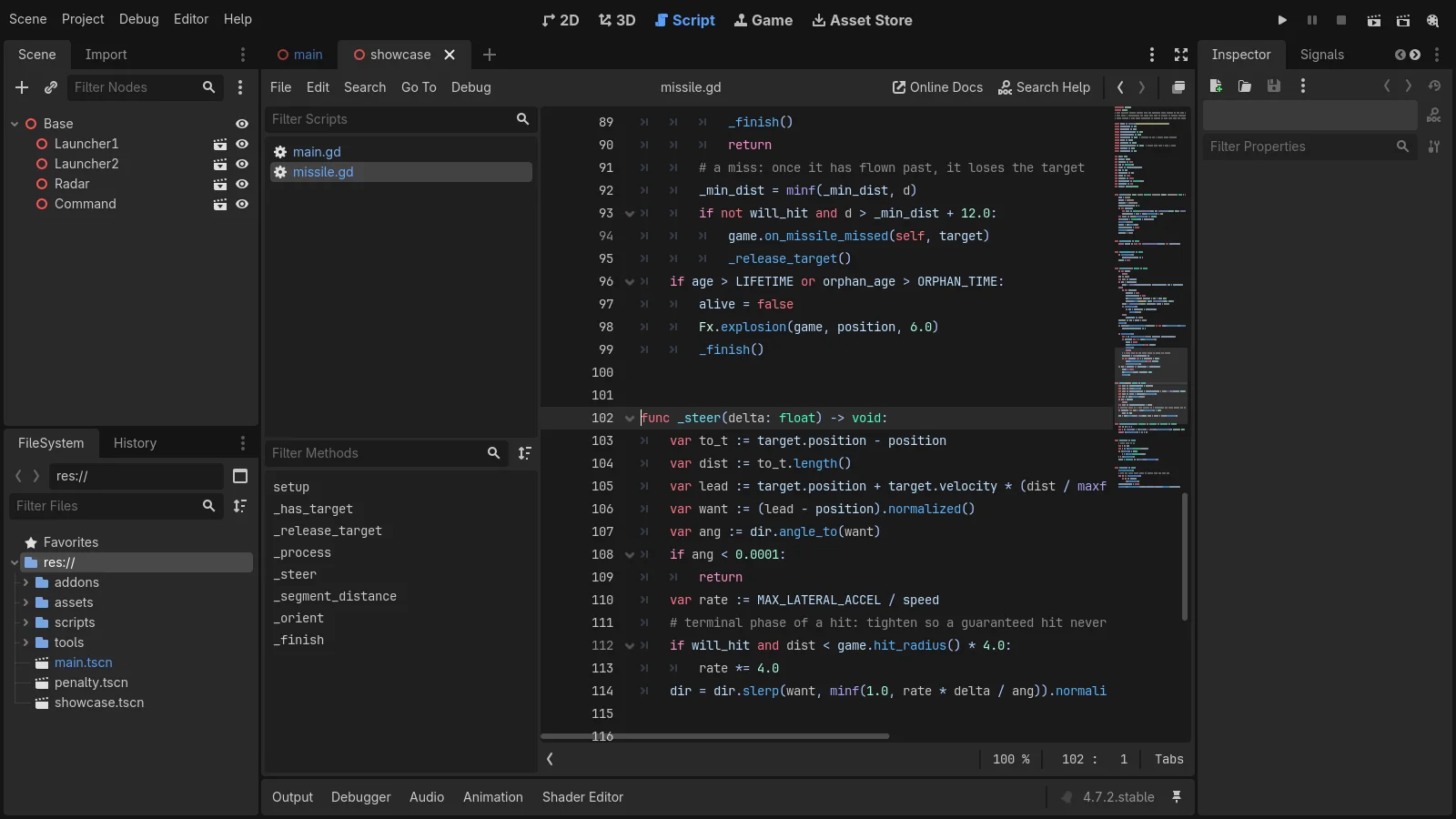
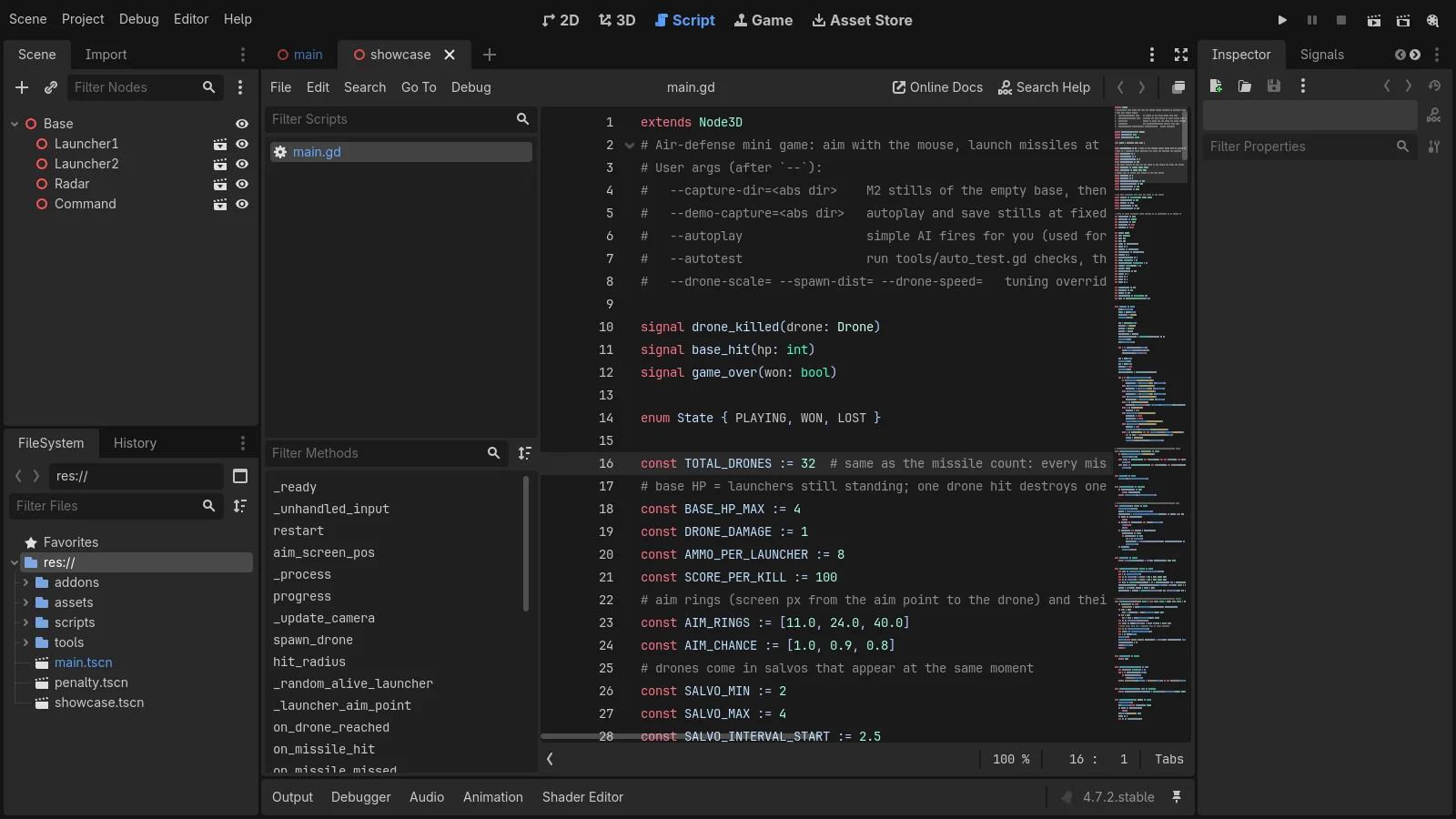 Figure 3. The air defense game code written by the AI (main.gd). From line 16, rule values such as the number of drones, missiles per launcher, and aim ring sizes are gathered in one place (Godot editor screenshot)
Try it: I did not write a single line of the code in Figure 3. I described the rules in words, the AI wrote the code, and I asked it to keep the values used by the rules at the top of the file. When you give work to an AI, add "put the values I may change at the top of the file as constants." Later, when you say something like "make it 32 drones," you can see right away what changed. A constant is a name tag on a value that does not change while the game runs.
The AI was especially good at three things.
- Writing code from scratch. The first playable version of the air defense game ran in about an hour.
- Checking its own work. It made a check for each rule and ran them without opening a window (14 for the air defense game, 18 for the canyon flight game).
- Handling snags. Hidden problems, such as a model coming in completely white, were handled in the export script.
On the other hand, the AI could not judge "this game is fun" or "this is too easy." Automatic play could not tell the difficulty. The rules only settled as "the difficulty is about right" after I played five times myself. How to split work between AI and a person is the topic of part 4 of this series.
4. What the game engine does: running in real time
A game engine is a program that combines models, light, sound, keyboard and mouse input, and physics, and runs them in real time. A video plays pictures that were drawn in advance. A game cannot know what the player will press next, so it has to redraw the scene dozens of times a second. The engine does that.
Three engines are widely used today.
| Engine | Main languages | Price | Good for |
|---|---|---|---|
| Godot | GDScript, C# | Free, open source (MIT license) | People who want a light start, small 3D and 2D games |
| Unity | C# | Free for individuals within limits | Mobile games, people who want lots of learning material |
| Unreal Engine | C++, Blueprints | Engine is free, royalty above a revenue threshold | Realistic visuals, video production |
Prices and version numbers change often, so check the official pages before you start. A detailed comparison is in Choosing a game engine in 2026.
In my notes, I used Godot for two reasons. First, Godot scene files and scripts are plain text files that open in Notepad, so the AI could write and edit them directly. Second, Godot has an option to run without a window (--headless), so the AI could run automatic checks on its own. Moving models to Unreal is covered in Moving Blender scenes to Unreal Engine 5.8.
5. Seven steps to a first game
Here is the order for finishing a first game alone. Each step lists what has to be true before you move on.
| Step | What to do | Move on when | More detail |
|---|---|---|---|
| 1 | Pick one engine | The editor opens and you can run an empty scene | Choosing a game engine in 2026 |
| 2 | Check what helps to know first | You can read code and find where a value lives | Part 2 of this series |
| 3 | Set the scope of your first game | One page with a one-line description, pass criteria, and an out-of-scope list | Part 3 of this series |
| 4 | Prepare and move models | The engine view and the Blender image match in size, direction, and color | Part 5 of this series, Moving Blender models into Godot |
| 5 | Have the AI make the first version | One round goes start → play → end → restart | Part 4 of this series |
| 6 | Play it yourself and fix it | The person who played says "it feels right" | Building Godot game scenes with Claude Code |
| 7 | Export | It runs outside the engine as a program or web version | Exporting section of the official Godot docs |
Step 3 is the one people skip most. Without a set scope, features keep growing and the end never comes. Step 6 takes the longest. The AI writes code quickly, but the time it takes to play and say what to fix cannot be cut.
6. What happened when I tried it
On the night of October 10, 2026, I followed steps 1 to 6 above and made small games in Godot 4.7.2. I used 8 low-poly models I had already made for videos, and Claude Code wrote all the code. I did not do step 7 (export) that day. I first did it three days later with the canyon flight game.
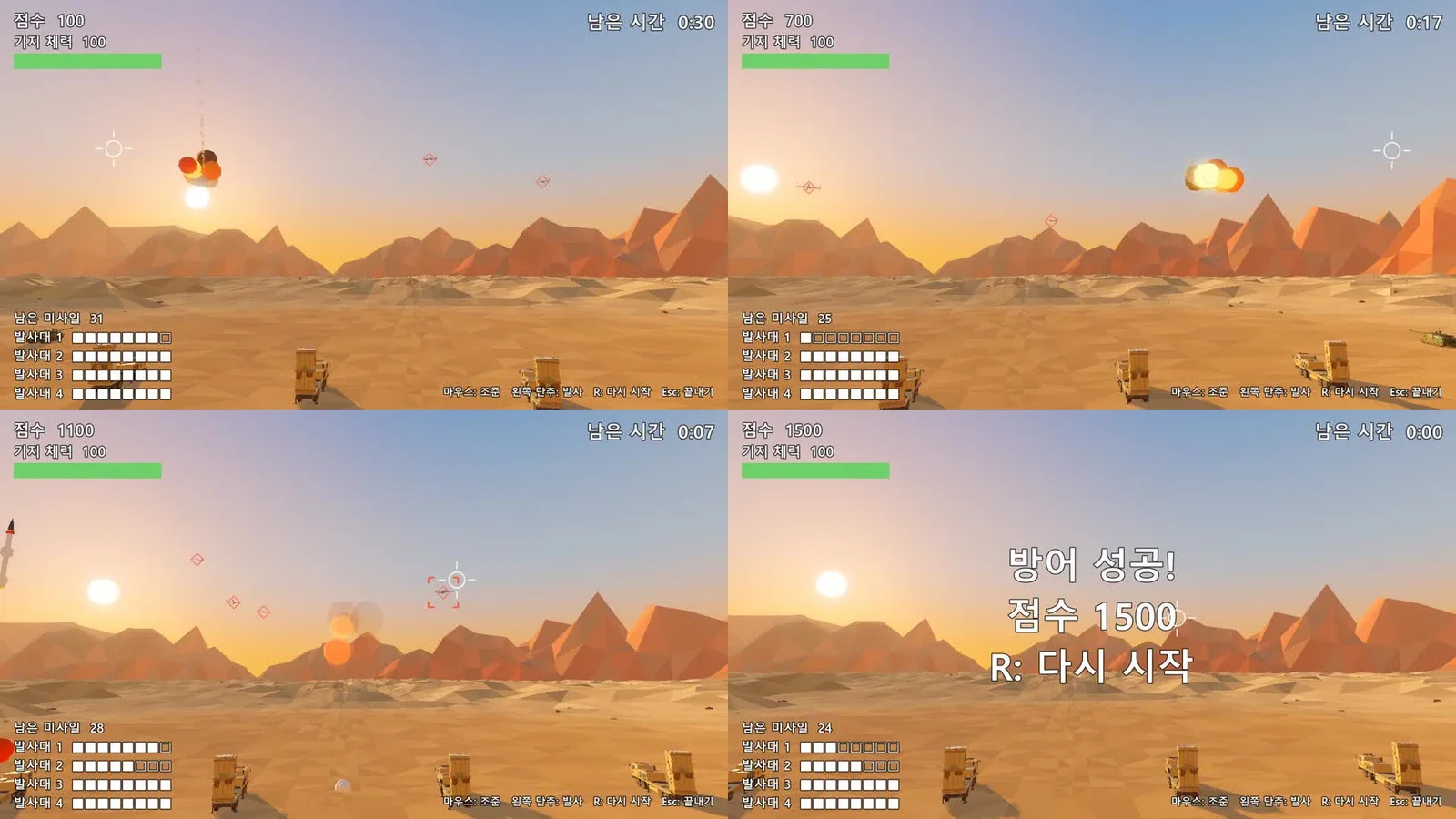
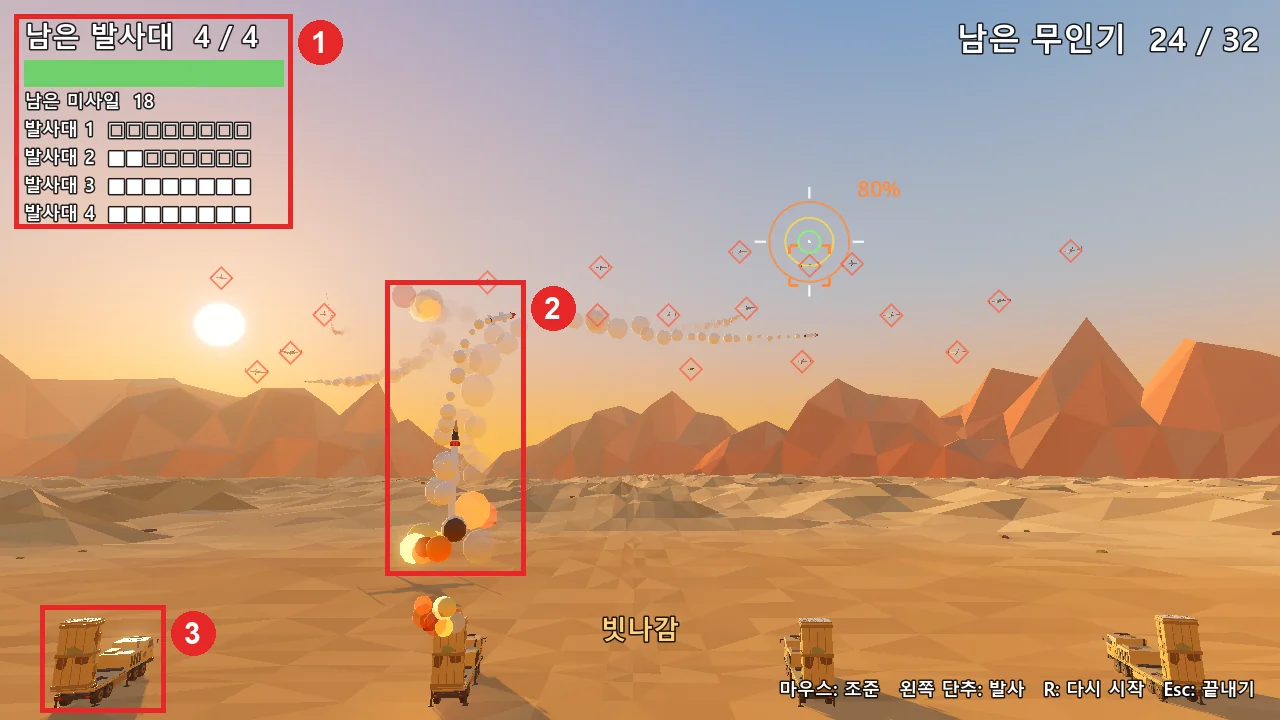
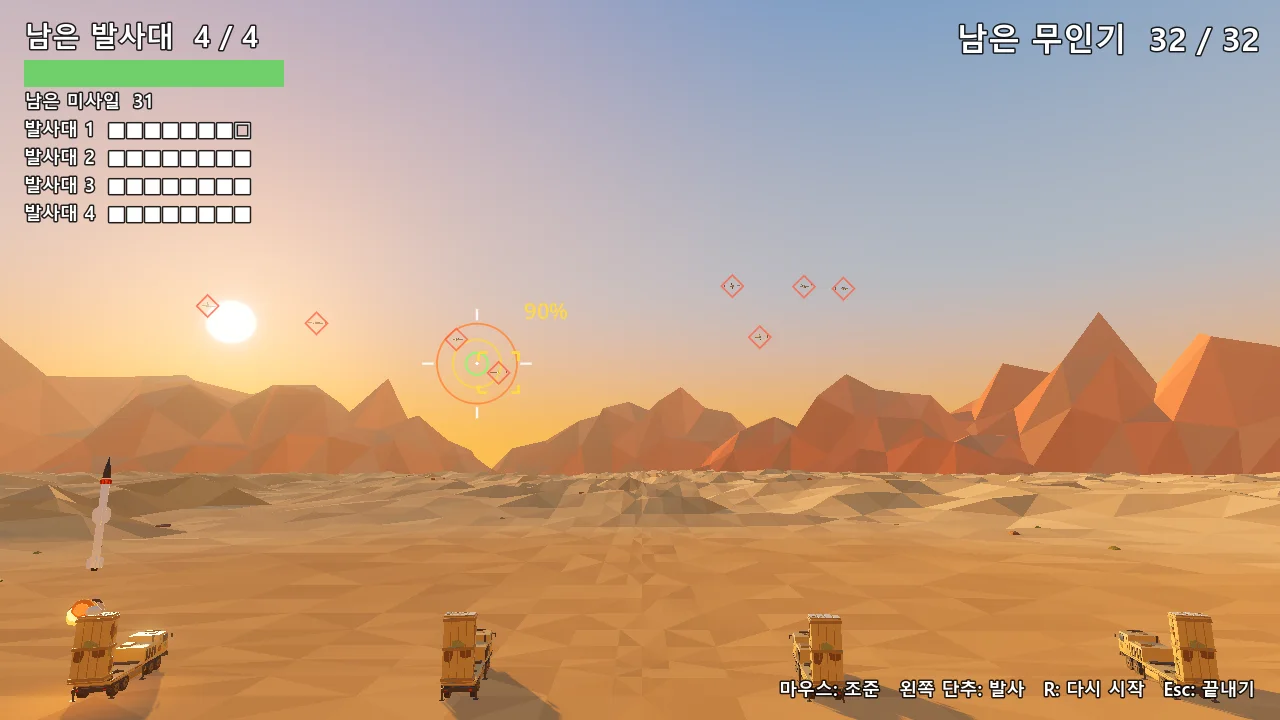 Figure 4. The air defense game after five rounds of fixes. You aim with the mouse and fire missiles to protect 4 launchers from 32 incoming drones (Godot run screenshot)
The first version of the air defense game ran in about an hour. In the same session I also made a penalty shootout, and the whole session took about 3 hours (including waiting). No image or video generation credits were used. Times by step and the snags are in part 3 of this series.
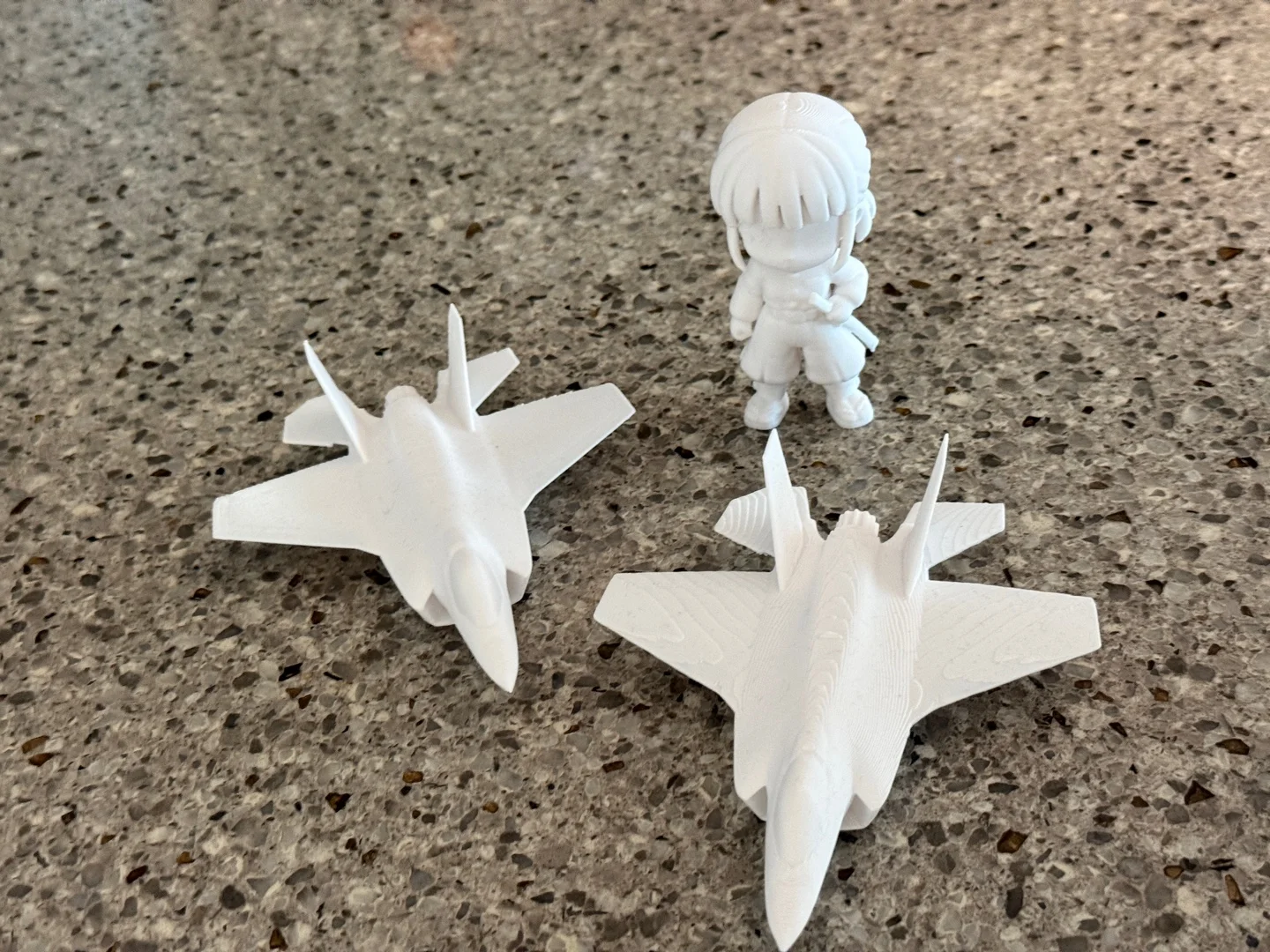
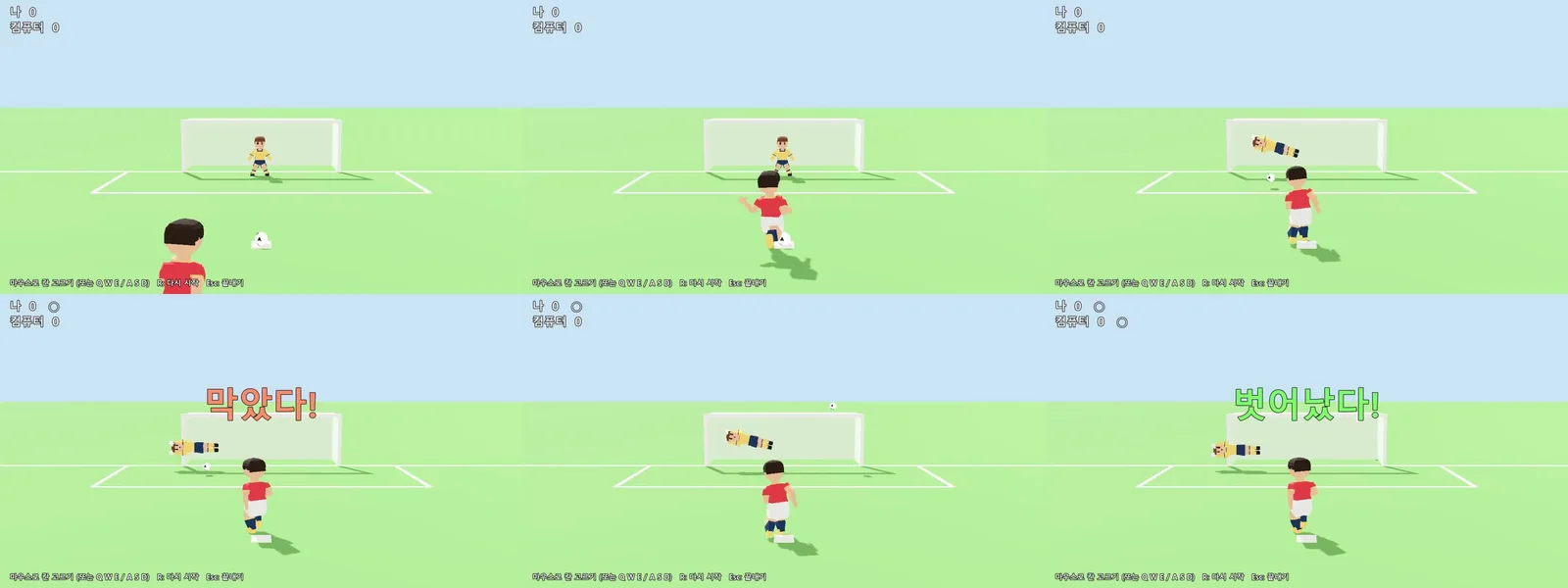 Figure 5. The first version of the penalty shootout made in the same session. You take turns with the computer, five kicks and five saves each (Godot run screenshot)
Before starting, I estimated 5 to 7 hours. It took much less. The reasons were clear. The models and animations already existed, and the game had a single screen. A game that needs new models or several screens takes much longer. The detailed process is in Building Godot game scenes with Claude Code.
7. The five parts of this series
| Part | Title | What it covers |
|---|---|---|
| 1 | A map of solo game development (this guide) | The role of each tool, the steps to a first game |
| 2 | What helps to know before solo game development | Which parts of programming, math, art, sound, and game design you need, what AI can fill in, and official learning material |
| 3 | Setting the scope of your first game | A size you can finish, scheduling, real times and snags |
| 4 | Splitting solo dev work with AI | What to give AI and what a person checks across code, assets, images, sound, and text, plus terms and disclosure rules |
| 5 | Asset rules for games | What to keep in mind when making Blender models for a game engine |
If you are new, read parts 2 and 3 first. Set your scope, then move on to parts 4 and 5.
8. What you need and what it costs
| Item | Price | Note |
|---|---|---|
| Blender | Free | Download from the official site |
| Godot | Free | Runs from a single program file, no installer |
| AI coding assistant | Usually a paid plan | In my notes, about 160,000 output tokens up to right after the rigging test, about 11 US dollars in cost terms (measured with a usage tool; the penalty shootout and later were not measured) |
| Computer | The one you have | Each engine needs different specs. See Computer specs for AI, Blender, and game engines |
A token is the unit that counts how much text an AI reads and writes. Like a taxi meter, it goes up the more you use. Pricing differs by service and changes often, so check the official pricing page before you start.
Common misconceptions
| Misconception | In practice |
|---|---|
| With AI, you do not need to know the game engine | You need basic engine words like scene, node, and run to tell the AI what to do |
| You can make the whole game in Blender | Blender has no game runtime. You make models and pass them to an engine |
| A model comes in unchanged if you just pass the file | Colors, floor planes, and animations can go wrong. Compare by image and by numbers after moving |
| If the code comes fast, the game finishes fast | The longest part is playing it yourself and fixing it |
| A first game has to be big to be worth it | Finishing a single-screen game is the base for the next one |
Summary
Things in Blender, code and checks by AI, real-time running in the game engine, deciding what to make and judging fun by you. Make your first game a single screen, and finish it.
References
- Godot Engine download: https://godotengine.org/download/
- Godot Engine 4.7 docs, Your first 3D game: https://docs.godotengine.org/en/stable/getting_started/first_3d_game/index.html
- Godot Engine 4.7 docs, Exporting projects: https://docs.godotengine.org/en/stable/tutorials/export/exporting_projects.html
- Blender 5.2 LTS Manual: https://docs.blender.org/manual/en/latest/
- Claude Code docs: https://code.claude.com/docs/en/overview
- Figures: all real Godot editor and run screens and Blender renders (test games I made)