Low-poly war animation with Claude Code, part 2: the five films, results first
The five low-poly war videos I made in one day by giving Claude Code instructions in plain words, shown first: one key frame, three lines of description and one key number for each.
한국어English
ON THIS PAGE
- 01The common spec for every episode
- 02Episode 1. Air-defense battery vs drones
- 03Episode 2. Tanks and self-propelled howitzers vs enemy tanks
- 04Episode 3. Submarine-launched ballistic missiles
- 05Episode 4. Fighter jets vs enemy fighters
- 06Episode 5. A destroyer's 80 intercepts
- 07Timeline of the day
- 08Spin-off videos: Shorts, making-of, thumbnails
- 09What's next: a preview of the wider-arsenal episodes
- 10Key points
- 11Next part and the full book
- 12References
Based on: the free edition of the ebook Low-Poly War Animation with Claude Code and Blender, Chapter 1 (see the results first), Claude Code (Opus 5.5, medium effort), Blender 5.2 EEVEE. Checked in October 2026.
Before I explain how, I'll show you what came out. Part 1 covered what happened during the day. Part 2 introduces the five main videos from that day, one at a time. Each gets one key frame, three lines of description, and one key number. At the end you'll find a timeline of the day, the Shorts and the making-of video, and a preview of the next episode, which uses equipment from other countries.
You don't need to follow along with anything in this part. Just look and get a feel for what comes out. You can watch all five videos in the portfolio, and the link for each one is at the end of its description. The videos have no dialogue.
The common spec for every episode
All five were made on the same frame. I set the spec in numbers once, in the first prompt, and every episode after that followed it.
The table below has a lot of unfamiliar words. For now, just notice that all five share the same frame.
| Item | Value |
|---|---|
| Resolution and frame rate | 1920×1080, 30fps |
| Length | 30-second main part (900 frames) + about 5.5 seconds of opening title + about 4.5 seconds of closing title = about 40 seconds |
| Renderer | Blender 5.2 EEVEE (Blender's fast real-time renderer) |
| Camera | One take (shot in one continuous move, no cuts), low angle |
| Sound | Procedural sound effects timed to the frame where each event happens |
| Models | Low-poly, built in code in Blender, toy-brick style |
A low angle puts the camera low and points it up. A grown-up looks big to a small child, and in the same way the equipment looks big and strong. Procedural sound effects are not recordings. They are sounds calculated in code. Every episode opens with "Claude × Blender," followed by a title card naming the matchup.
Episode 1. Air-defense battery vs drones
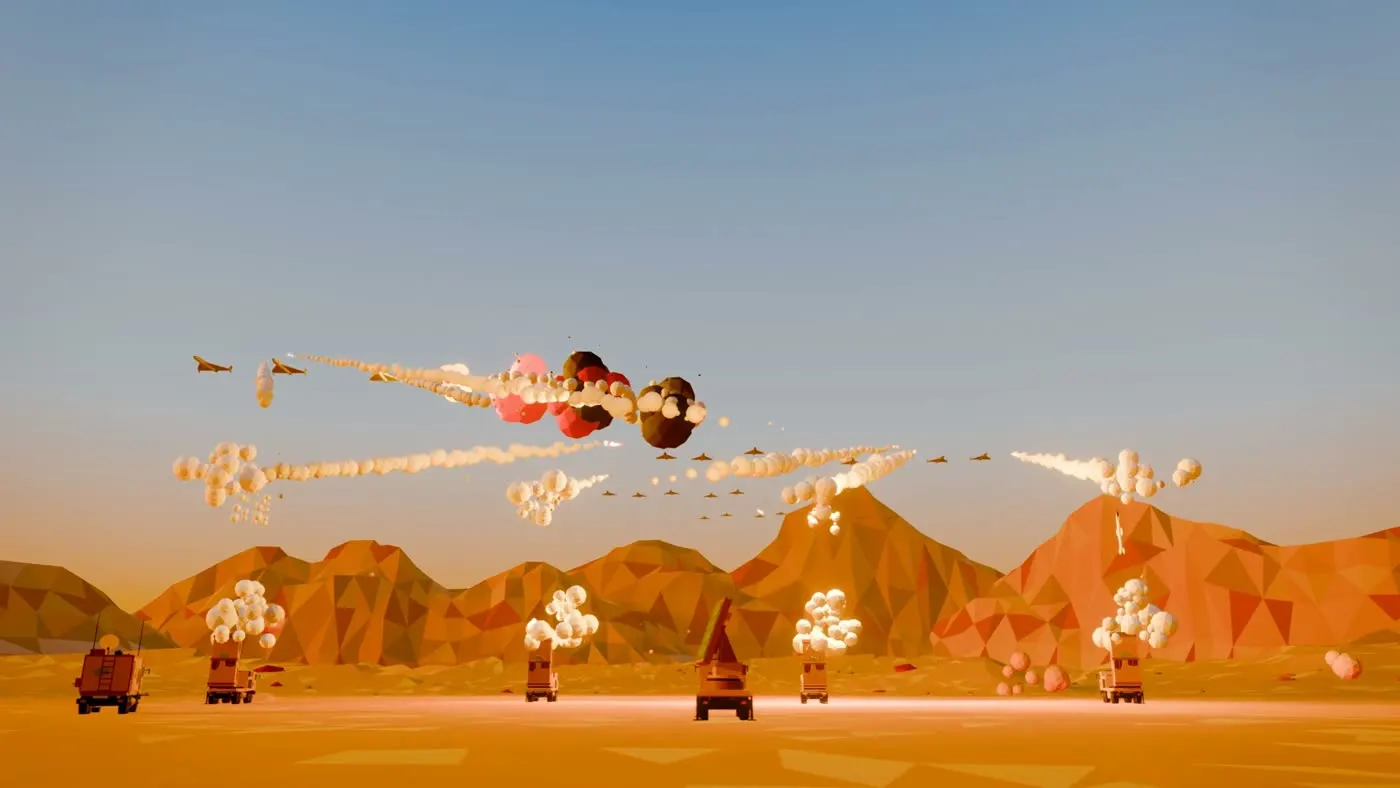 Figure 1. The wide-shot section (around 24 seconds). Launchers, the command vehicle and the radar at the bottom; the incoming drone formation and intercept explosions in the sky. (Blender render)
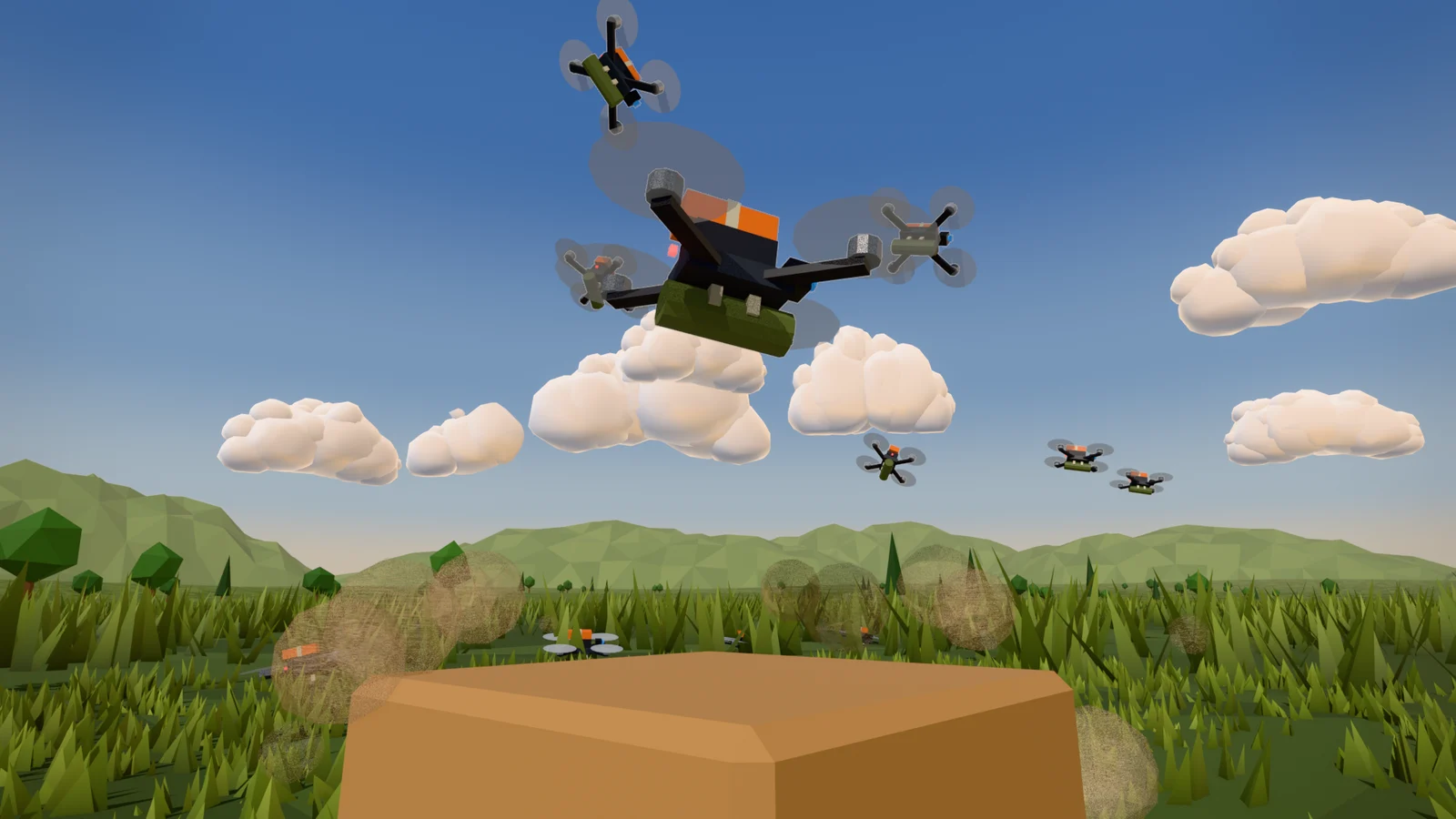
- I set up a battery in the desert: four launchers, one command vehicle, one radar. Kamikaze drones from a fictional enemy fly in, split into four groups.
- Each missile pops out of its launch tube (canister) first and ignites in the air. This kind of launch is called a cold launch. The first shot is framed large, close to the launcher.
- A real drone of this kind has a wingspan of about 2.5 m, so you can't see it from 1 km away. I scaled the drones up 8 times so their shape reads on screen.
The key number is 32/32: 32 drones came in, and all 32 were intercepted. Every intercept, including the last, happens inside the frame.
What to notice: scaling the small drones up 8 times was not a mistake. Chapter 6 of the ebook explains why. The large framing of the first shot came from my feedback: "The launcher should also be visible during the cold launch."
Video: Surface-to-Air Missile Battery Intercepts 32 Drones
Episode 2. Tanks and self-propelled howitzers vs enemy tanks
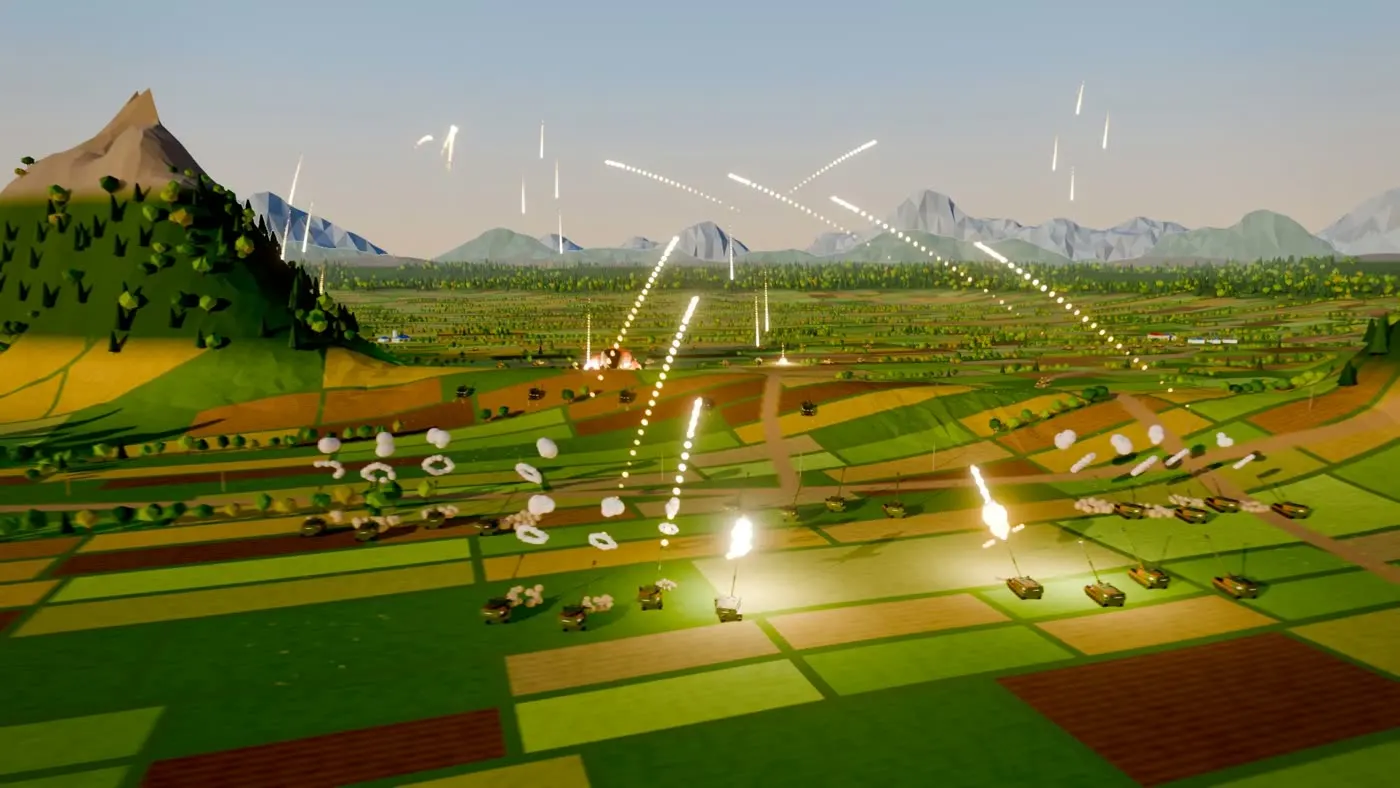 Figure 2. The farmland battlefield seen from a camera that rose like a crane. Trails from the friendly vehicles in the fields fly into the distance. (Blender render)
- In the rear, 20 self-propelled howitzers (five batteries of four) take up position. In front, five friendly tanks advance in an echelon formation.
- The lead tank turns its turret 90 degrees while moving and fires at an enemy tank column coming from the side. The enemy tanks keep moving until they're hit.
- The first round (the first version I made) was on flat ground. I asked for some hills or mountains so you could see why you'd use howitzers. That's how the scene of indirect fire over the ridge came about.
A self-propelled howitzer is a big gun that moves on its own wheels or tracks. Indirect fire means shooting over a hill at a target you can't see directly.
The key number is 40/40: all 40 enemy tanks destroyed.
What to notice: if you tell the AI why a piece of equipment is used, it shapes the terrain to match.
Video: Tanks and Self-propelled Guns Stop 40 Tanks
Episode 3. Submarine-launched ballistic missiles
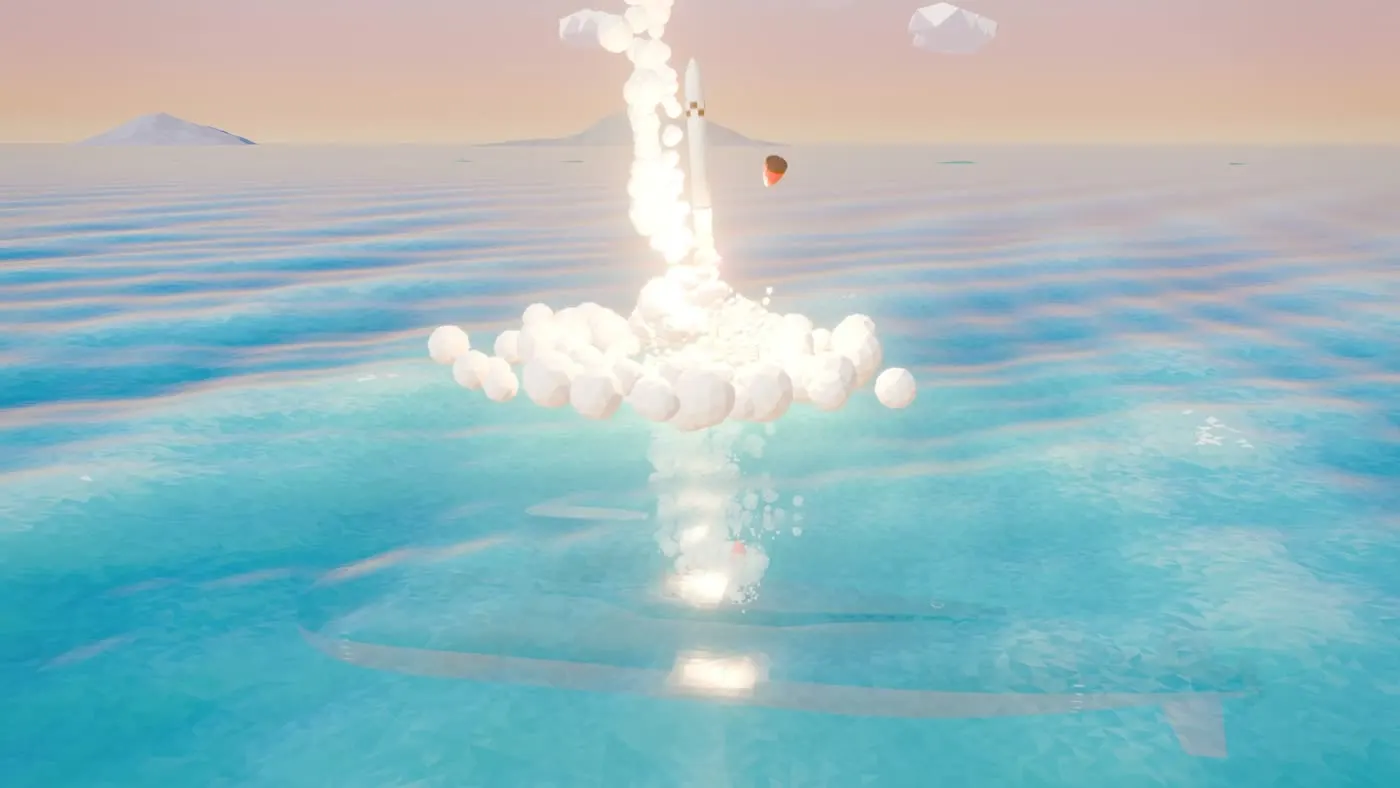 Figure 3. The submarine's silhouette below the surface and a missile that has just broken through the water (around 24 seconds). (Blender render)
- The video starts underwater. You see the whole submarine, a launch tube hatch opens, and a missile pops out.
- The camera follows the missile up to the surface, and the missile ignites after it clears the water. The hatch scene is the part where I showed the AI a reference video and pointed out that the hatch cover should fly off first.
- At the end, the camera pulls far back to show the paths of all six missiles in one frame.
The key number is 6/6: all six missiles fired from underwater. The first plan had four. I changed it to six, fired in faster succession.
What to notice: when you give a reference video, point to just one thing to look at.
Video: Submarine Launches 6 Ballistic Missiles from Underwater
Episode 4. Fighter jets vs enemy fighters
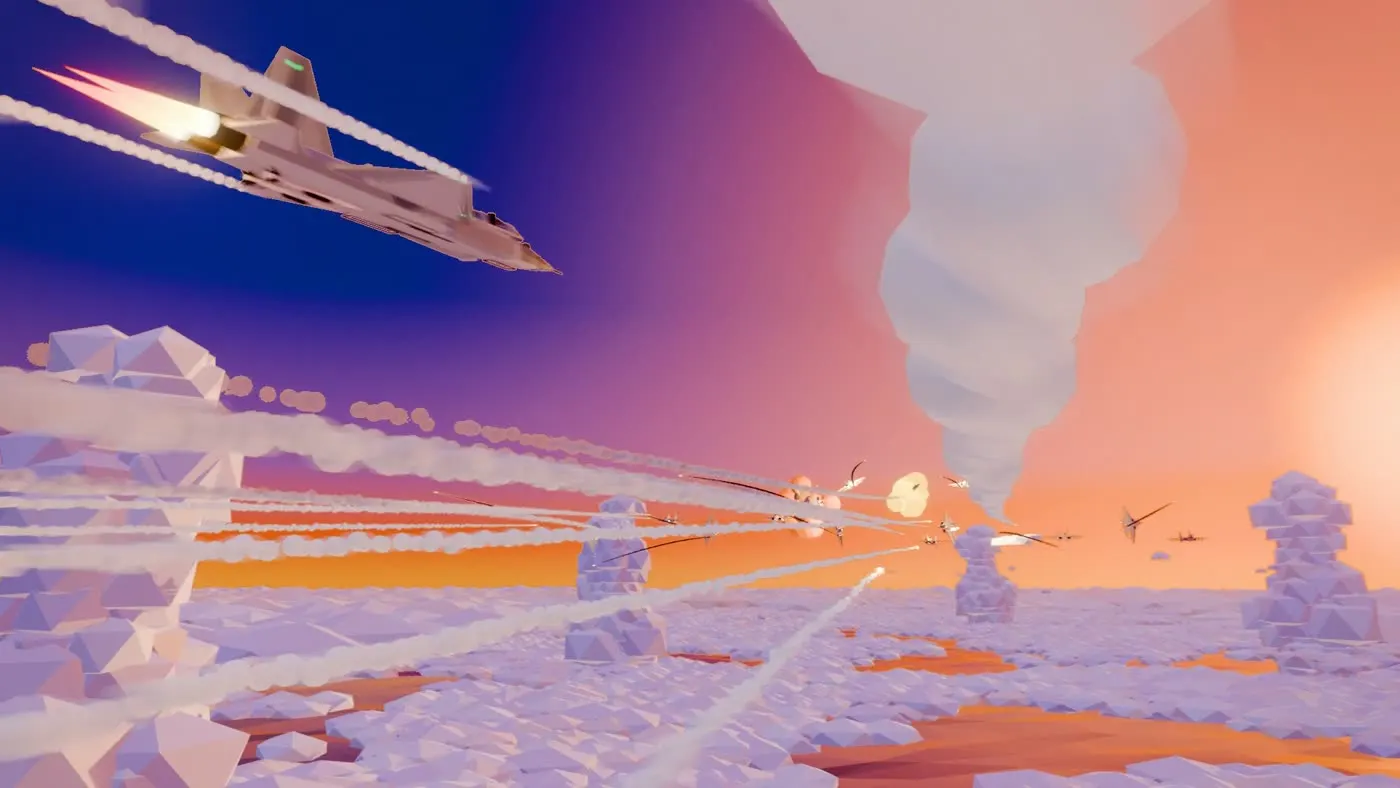 Figure 4. A dogfight above a sea of clouds (around 22 seconds). A friendly fighter in front; the enemy formation being shot down far ahead. (Blender render)
- Seven friendly fighters fly in a V formation, each fires two missiles, and then they break apart.
- Fourteen enemy fighters approach head-on from the other side and fire missiles back. The friendly fighters hold their heading and dodge every one with a 360-degree roll.
- The camera flies along with the formation. With no cuts, it moves between close on the formation and the whole battlefield.
The key number is 14/14: all 14 enemy fighters shot down.
What to notice: 7 jets, a V, 2 missiles each, 14 enemies. What I said in numbers became the picture exactly.
Video: Fighter Formation Air Combat: 14 Fighters Down
Episode 5. A destroyer's 80 intercepts
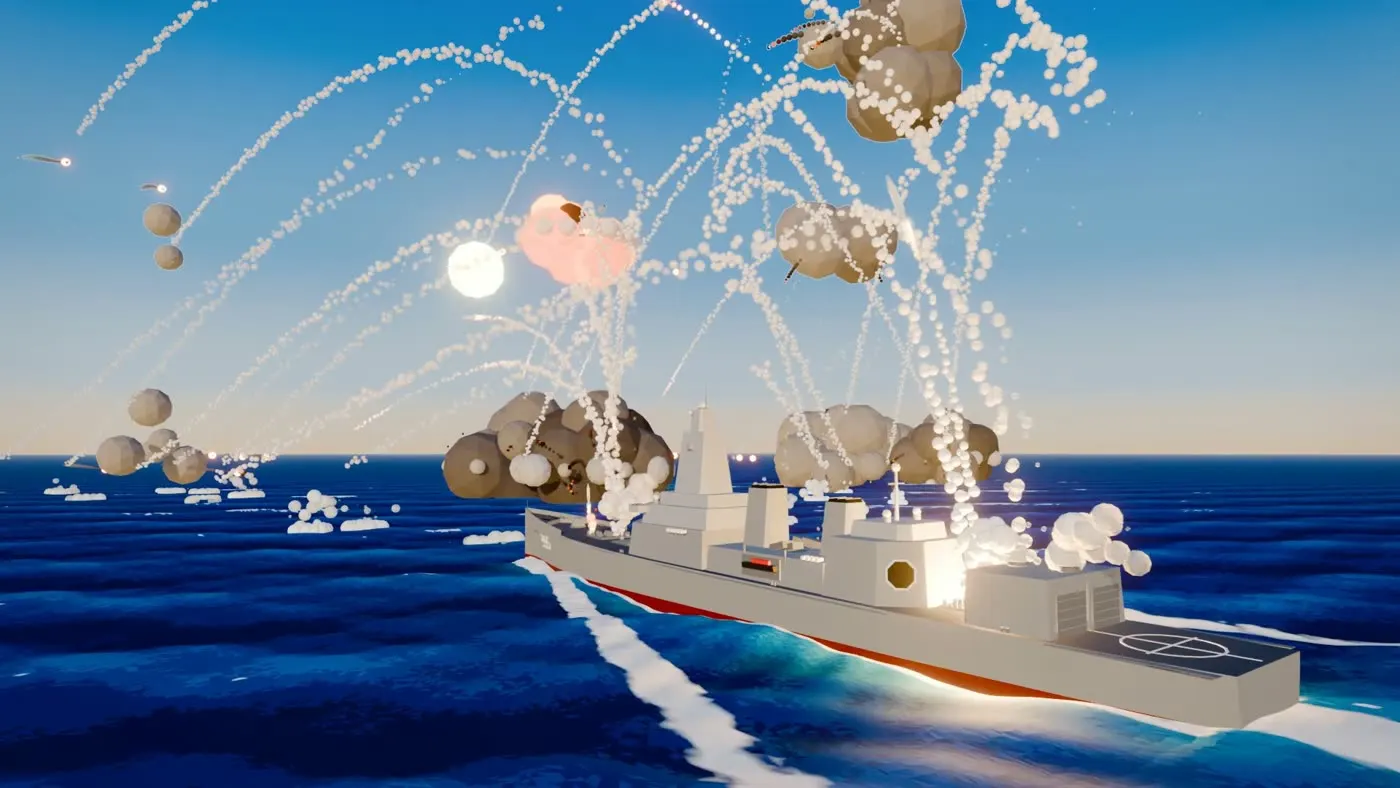 Figure 5. Trails rising one after another from the vertical launcher, and intercept explosions close to the ship. (Blender render)
- All I said was to fire as many as it could, and to match the number of targets to that. The AI looked up the vertical launcher's 80 cells and had it fire all 80. A cell is the launch slot that holds one missile.
- Starting about 0.5 seconds into the video, it fires without pause every 8.5 frames (roughly one missile every 0.3 seconds). The targets were set to 80 as well.
- After I said the enemies were too far away to see well, the intercept distance was pulled in to 150–700 m from the ship. The hit points were decided first, and the enemy paths were worked out backward from there (Chapter 8 of the ebook explains this method).
The key number is 80/80: all 80 targets intercepted.
What to notice: you can leave numbers that need research to the AI.
Video: Destroyer Intercepts 80 Anti-ship Missiles
The production notes in the full edition of the ebook (Chapters 16–20) record, episode by episode, which feedback fixed what.
Timeline of the day
Here is the day, arranged by the times I sent prompts (local time, UTC+9). Quoted text is part of what I sent, translated.
| Time | What happened |
|---|---|
| 9/25 12:05 | First planning prompt (13 items); spec fixed at 1920×1080, 30fps, 30 seconds |
| 15:04 | "The camera movement right now is very good. Record it in an md file so we use this approach from now on." → the camera rules document is born |
| 15:13 | Requests for color, sound effects and titles → the frame for the finished Episode 1 |
| 16:09 | "Do the remaining 3 projects the same way." → three agents start at once |
| 17:24 | "This is a 0 out of 10." → switch to modeling directly in code |
| 17:57 | Plan added for Episode 5 (the destroyer) |
| 19:21–20:38 | Detailed feedback per episode (sea material, 80 missiles, 6 missiles, terrain, intercept distance) |
| 21:22–22:31 | Making-of video, 5 Shorts, thumbnails |
| 22:58 | "I'll be back in 6 hours, so don't ask me anything in the meantime." → 61 models overnight |
| 9/26 03:33–07:06 | Morning review, promo thumbnails |
Only a few messages in the table changed the big direction. One line of praise at 15:04 created a rules document, and one line at 16:09 started three episodes at once.
Spin-off videos: Shorts, making-of, thumbnails
Once the main videos were done, I made videos for YouTube. These also started with a few lines of prompt.
- Five Shorts. For each main video I made a vertical (1080×1920) version of 30 seconds or less. The strongest shot goes first, and three background music tracks rotate across the episodes.
- A making-of video, about 2 minutes. It cuts the best shots from the five episodes and the production process to the beat of the music. There is no narration. So that viewers from other countries could watch it too, the only on-screen text left is the equipment names in English.
- Thumbnails. I made thumbnail candidates for each episode and three promo thumbnails for the making-of video (in Korean and English).
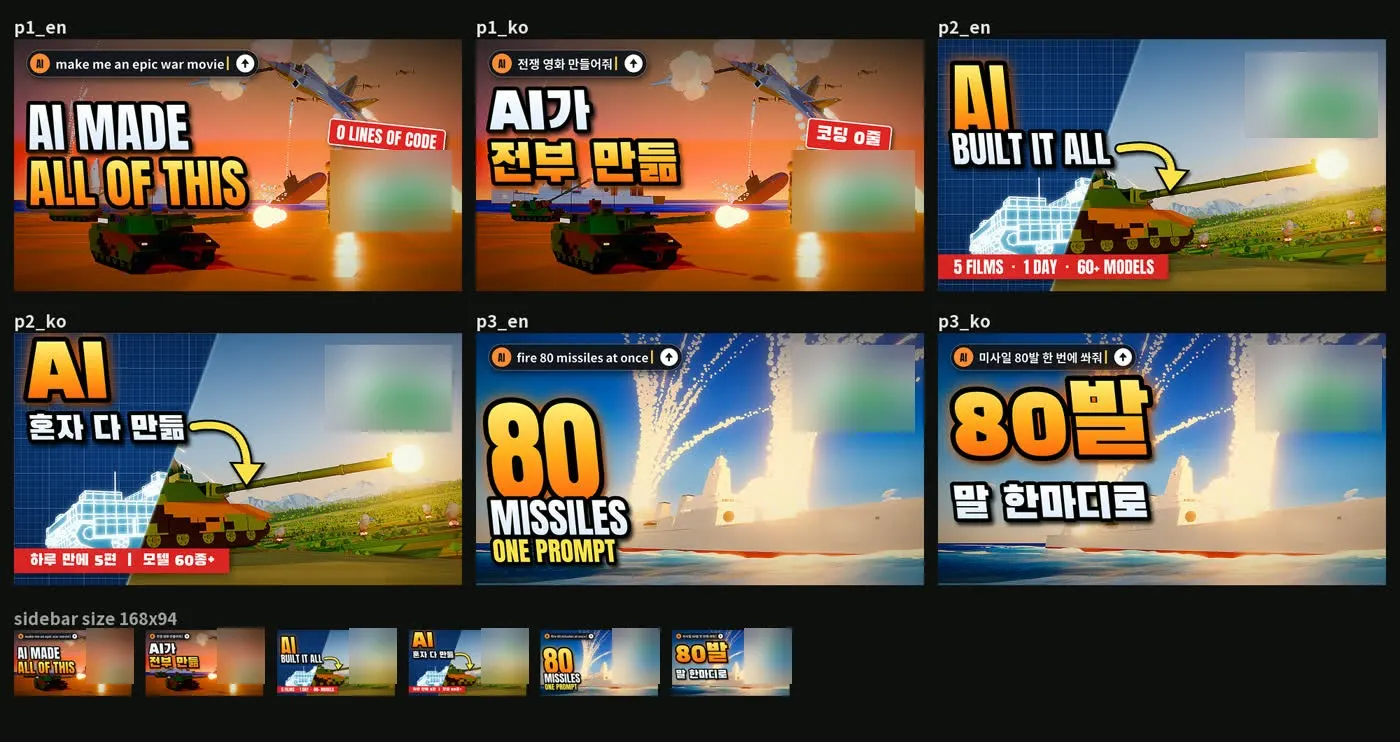 Figure 6. English and Korean versions of the three promo thumbnail options, with small-size previews. The AI suggested the lines of text. Hull numbers and the cost display are blurred. (Blender render with text; some labels in Korean)
The bottom row of Figure 6 shrinks each thumbnail to the size YouTube shows in its side list. It is there to check that the text still reads when small. The ebook covers how the Shorts and thumbnails were made in Chapter 14.
What's next: a preview of the wider-arsenal episodes
After the five episodes, I extended the same method to equipment from other countries. The first of these is "Three destroyers vs ballistic missile targets." It reuses the 61 models made overnight.
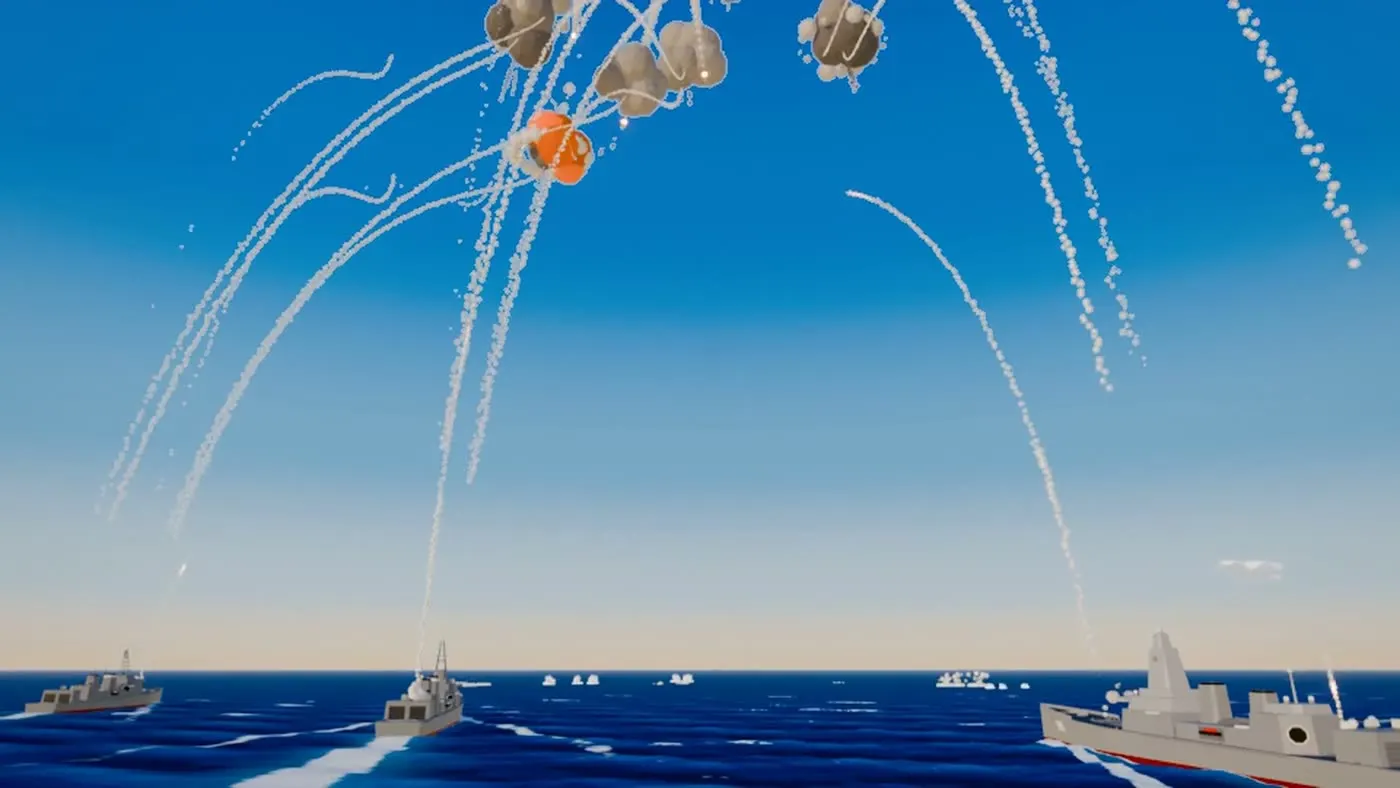 Figure 7. A preview of the first wider-arsenal episode. No national markings; only color separates friendly ships from targets. (Blender render)
- Three air-defense destroyers defend together. There are two kinds of interceptor missiles (24 + 12).
- The targets are fictional ballistic missile targets with no national markings.
- This episode didn't need new scene code. I made it by putting one settings file into the frame extracted from the five episodes (the engagement template, Chapter 15 of the ebook). The only new thing was one target model, plus some camera adjustments.
- Before that, I checked that the frame could be trusted. It passed a test where an original episode was rebuilt with the same frame.
The engagement template bundles the terrain, camera, effects and sound that the five episodes shared. Put different dough in the same baking tin and you get a different loaf. In the same way, a different settings file gives you a different episode.
The key number is 36/36: all 36 interceptors hit their targets. When I wrote the ebook, the episode had reached the small preview stage (540p).
Key points
- All five episodes share the same frame. In your first prompt, set the spec in numbers once.
- Each episode has a key number: 32/32, 40/40, 6/6, 14/14, 80/80. The quantities I gave in numbers became the result exactly.
- Most of the good shots came from short feedback I sent. Say what you can't see, what should be visible, and why.
In one line: give the spec in numbers once, and give feedback about what you can't see and why.
Next part and the full book
- Next: Low-poly war animation with Claude Code, part 3: install Claude Code and let the AI set up the rest. The only thing you install yourself is Claude Code.
- Previous: Part 1: one day, and who did what
- The one-post summary: Five low-poly war animations made with Claude Code
- The full ebook (free and paid editions): azblender.gumroad.com
Claude is a trademark of Anthropic. Blender is a trademark of the Blender Foundation. The book is independent and not affiliated with either.
References
- Figures 1–5 and 7 are frames from each episode's final video (Figure 7 from the 540p preview). Figure 6 is a copy of the promo thumbnail sheet with some areas blurred.