Before you buy Blender add-ons and assets: the GPL, three kinds of stores, and Superhive's support period and refund policy
What to know before paying for Blender add-ons, checked against official documents: what it means that add-on code is GPL, the difference between the free Extensions Platform, Superhive and buying from the creator, Superhive's 12-month support period and 30-day refund policy, and a checklist to use before buying.
한국어English
This post contains affiliate links. If you buy through these links, AZTechnology earns a commission from the seller. (Affiliate and content policy)
Based on: the blender.org license page, the Blender Extensions Platform about page, the Superhive help center (support periods, refunds, versioning), and the two products' Superhive pages. Checked on November 4, 2026. Images are real screenshots of each official page and an official image from a product page.
Blender is free, but many paid add-ons and assets speed up your work: tools that rig a character automatically, packs of trees and grass you drag into a scene, and so on. They are not cheap, so there are things to check before you buy.
Three questions confuse first-time buyers most: "Add-ons are GPL, so anyone can share them; why pay?", "Where should I buy to get updates?", and "Can I get my money back if it doesn't work for me?" This guide answers all three from official documents and gives you a checklist. Installing and enabling add-ons is covered first in Installing and managing Blender add-ons and extensions.
By the end of this guide you can:
- Tell the GPL on add-on code apart from asset licenses.
- Know the difference between the free Extensions Platform, a marketplace (Superhive) and buying from the creator.
- Check the support period and refund terms of Superhive products.
- Use a checklist on a product you plan to buy.
1. Add-on code is GPL: what it means and why you still pay
An add-on is a Python program that adds features to Blender, installed like an app on a phone. Since Blender 4.2 the same things are also called extensions.
Blender itself is released under the GPL (GNU General Public License), a free-software license. The blender.org license page says this about add-ons (Figure 1):
- Blender's Python API is an integral part of Blender, so add-ons, if published, must be shared under a GPL-compliant license.
- You may sell add-ons, but the sale is for the download service.
- Buyers receive the add-on under the same GPL terms.
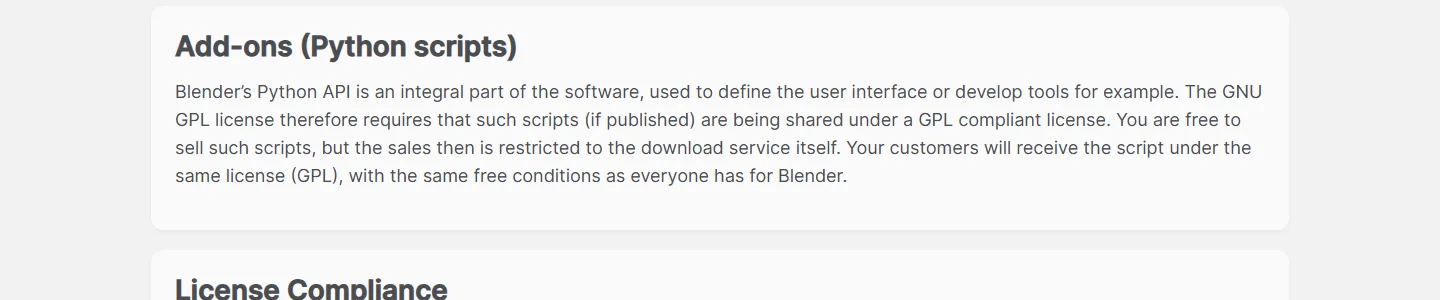 Figure 1. The add-ons paragraph of the blender.org license page (blender.org screenshot)
Think of a recipe that anyone can read, while you pay for a well-organized cookbook and the author answering your questions. The price of a paid add-on usually covers the download, updates and creator support. The fact that someone could pass the code around does not mean they can give you updates and support. And creators can keep making new versions because people buy them.
Assets are different. The GPL is about program code. 3D models, textures and HDRIs follow whatever license the store or creator sets. When you buy an asset pack, read the license section of the product page separately. Reading licenses on free assets is covered in Where to get free assets and textures for Blender.
What you make is yours. The same page says images, videos and .blend files you make with Blender belong to you to use as you like (Figure 2). Renders made with an add-on can be used in commercial work too.
 Figure 2. The artwork paragraph of the blender.org license page (blender.org screenshot)
2. Three kinds of stores
| Kind | Price | Features | Updates |
|---|---|---|---|
| Blender Extensions Platform | Free | Run by the Blender Foundation. GPL-compatible software only, reviewed before publishing | Directly inside Blender |
| Superhive (formerly Blender Market) | Mostly paid | Marketplace for Blender. Set support-period and refund rules | During the support period; inside Blender if added as a remote repository |
| Buying from the creator (Gumroad, creator sites and so on) | Paid | Rules differ by store | As the store's rules say |
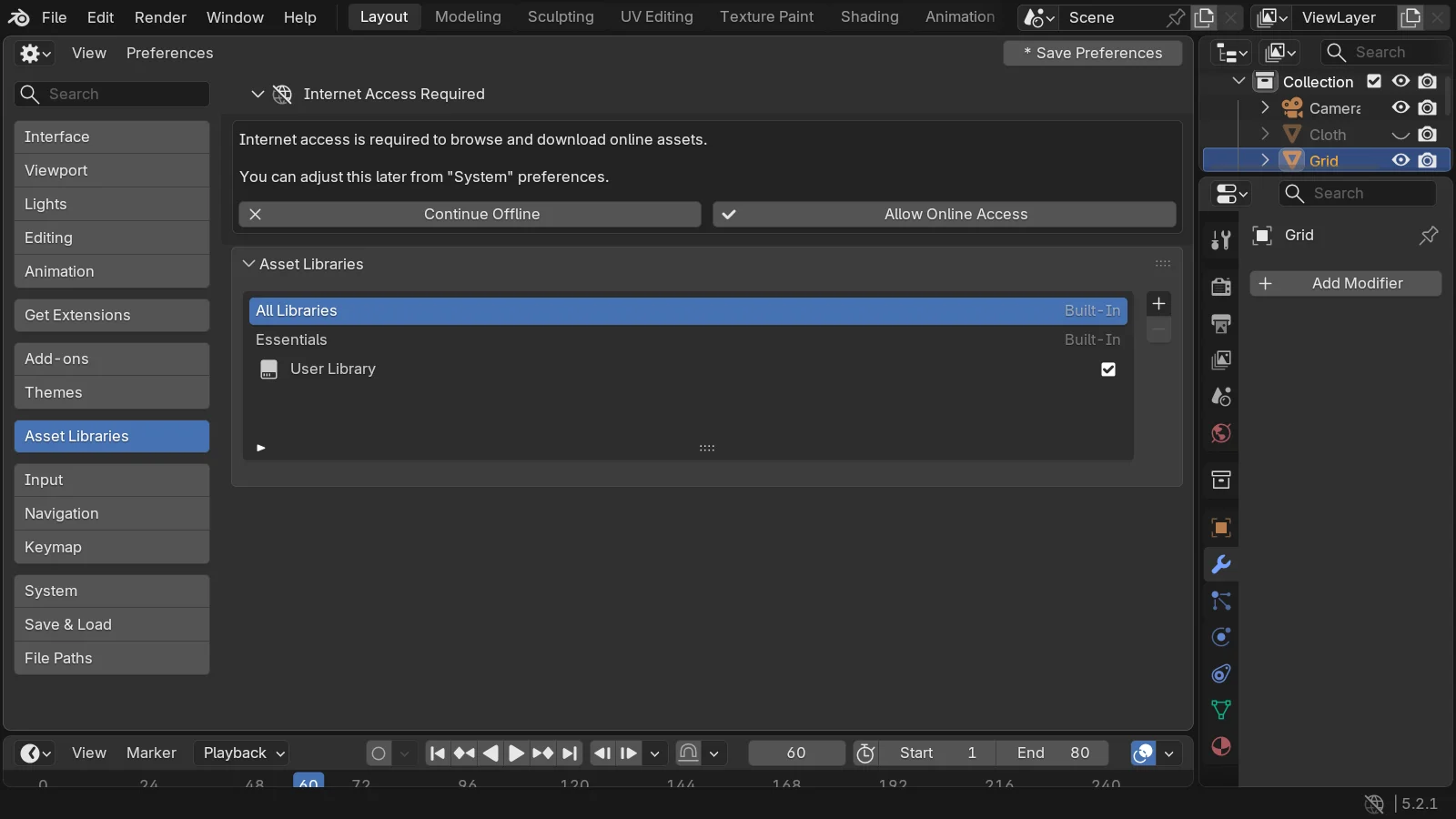
The Blender Extensions Platform (extensions.blender.org) is the official directory of free and open-source extensions. Its about page says it only offers GPL-compliant software, and uploads are reviewed. From Blender 4.2 LTS you find and install them in Preferences > Get Extensions (Figure 3). The first time, you are asked to allow online access (Allow Online Access).
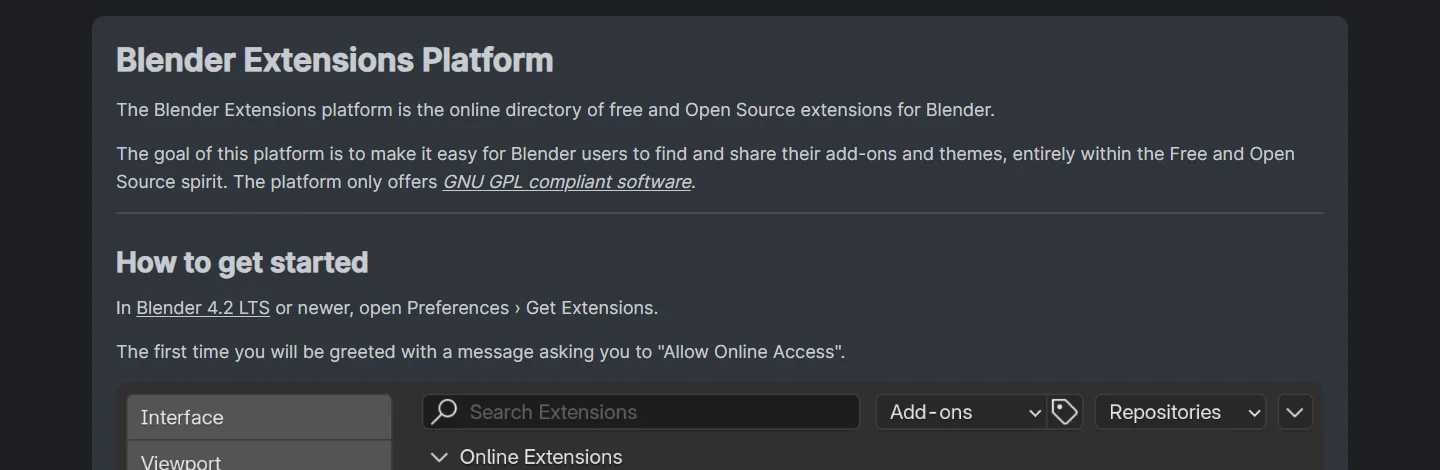 Figure 3. The Blender Extensions Platform about page (extensions.blender.org screenshot)
Superhive is a marketplace for Blender add-ons and assets, formerly called Blender Market. Products from many creators are in one place, and the support period and refund rules are set at the marketplace level (sections 3 and 4).
Buying from the creator means the creator sells through their own site or a service like Gumroad. The same product is sometimes sold in several places. Then update and refund rules differ by store, so wherever you buy, read that store's rules first.
3. Superhive's support period
The Superhive help center describes the Support Period like this (Figure 4):
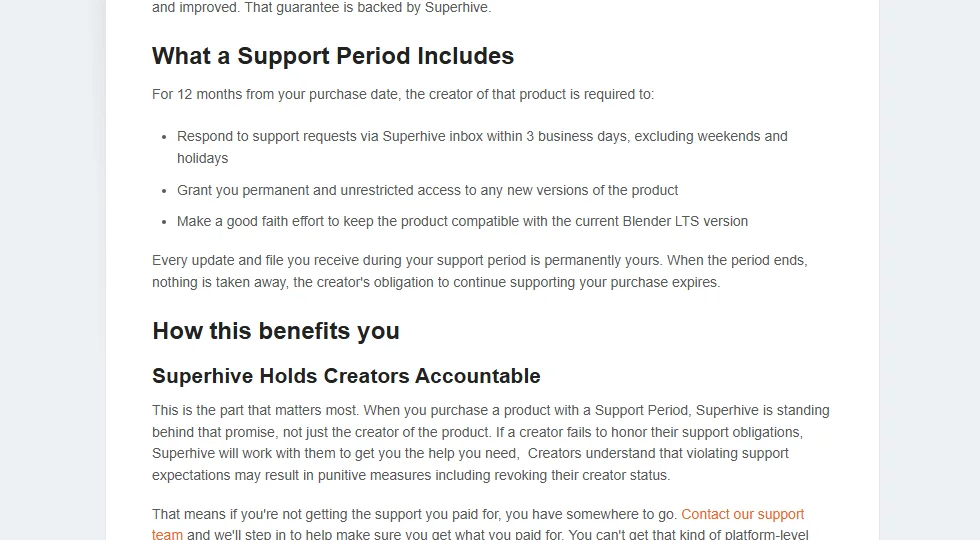 Figure 4. Superhive's support period page (Superhive help center screenshot)
| Item | Details |
|---|---|
| Length | 12 months from the purchase date |
| What the creator must do | Answer questions in the Superhive inbox within 3 business days (excluding weekends and holidays) |
| New versions | Access to new versions released during the period |
| Blender version | A good-faith effort to stay compatible with the current Blender LTS |
| When it ends | Files and updates you received are permanently yours. What ends is the creator's obligation to support and update |
| Extension | Extend any time at a discount on the current price. No automatic renewals or recurring charges |
| Which products | Only products whose creator opted in. Others are sold "as is" |
The last row matters most. Not every product has a support period, so check the product page for a support-period label before you buy.
Getting updates inside Blender. Superhive's versioning help says that if you add Superhive as a remote repository in Blender, new versions of products in valid extension format show up as updates inside Blender. It is like an app-store app that tells you when an update is ready.
4. Superhive's refund policy
| Case | Refund |
|---|---|
| Time limit | Request within 30 days of purchase |
| The product is broken or can't be used normally | Covered |
| Misrepresented, or doesn't perform as advertised | Covered |
| A true mistake, such as adding the wrong version to the cart | Covered, but if already downloaded, the creator must approve |
| Bulk orders | Not covered |
| Price drop or sale after you bought | No partial refunds |
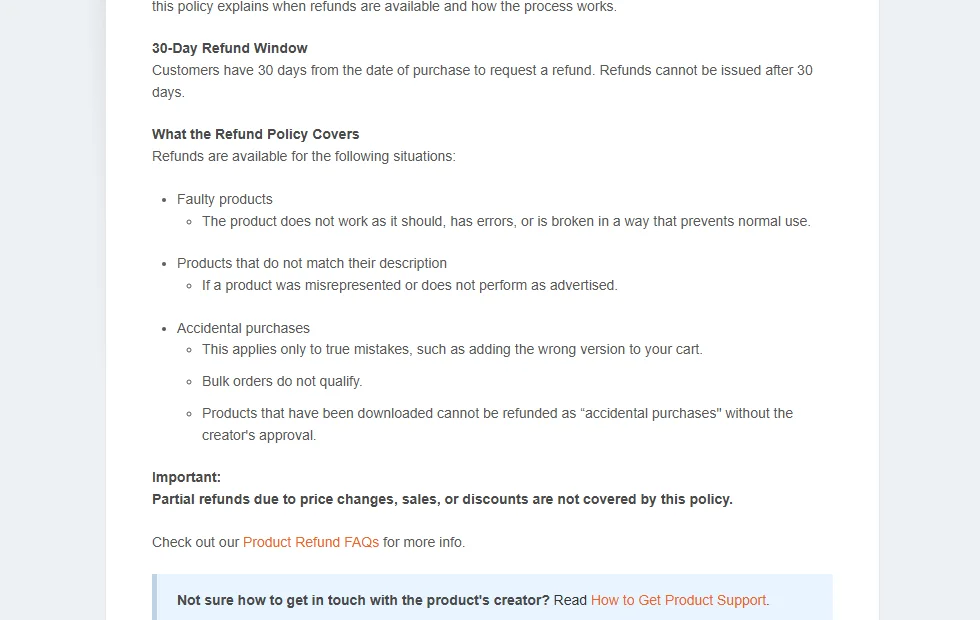 Figure 5. Superhive's refund policy (Superhive help center screenshot)
Watch the "mistake" row. If you bought the wrong thing, ask for a refund before downloading. After downloading, the creator has to approve it. Also, "it wasn't what I hoped" is not on the list. That is why watching the demo videos and reading the docs before you buy matters.
5. Checklist before you buy
| # | Check | Where |
|---|---|---|
| 1 | Does it support my Blender version (for example 5.2)? | Supported versions on the product page |
| 2 | Is it in the support-period program? | Product page |
| 3 | License (GPL for add-ons, store terms for assets) | Product page, included license file |
| 4 | Are there docs and demo videos? | Product page, creator's docs site |
| 5 | Was it updated recently? | Version history on the product page |
| 6 | Refund terms | Store's refund policy |
| 7 | Is there a free alternative? | Extensions Platform, Blender's built-in features |
Don't skip number 7. For example, from Blender 5.2 some LoopTools tools that used to need enabling are built in, and the online Essentials gained materials and HDR backgrounds. The feature you were about to buy may already be in Blender. What changed in 5.2 is in Blender 5.2 LTS new features.
6. Example: two products tested on this site
This site has guides where two paid products were tested hands-on. Here is how the checklist applies.
 Figure 6. Auto-Rig Pro product page main image (source: Superhive, by Artell)
| Product | What it does | Supported versions on the product page | Tested in |
|---|---|---|---|
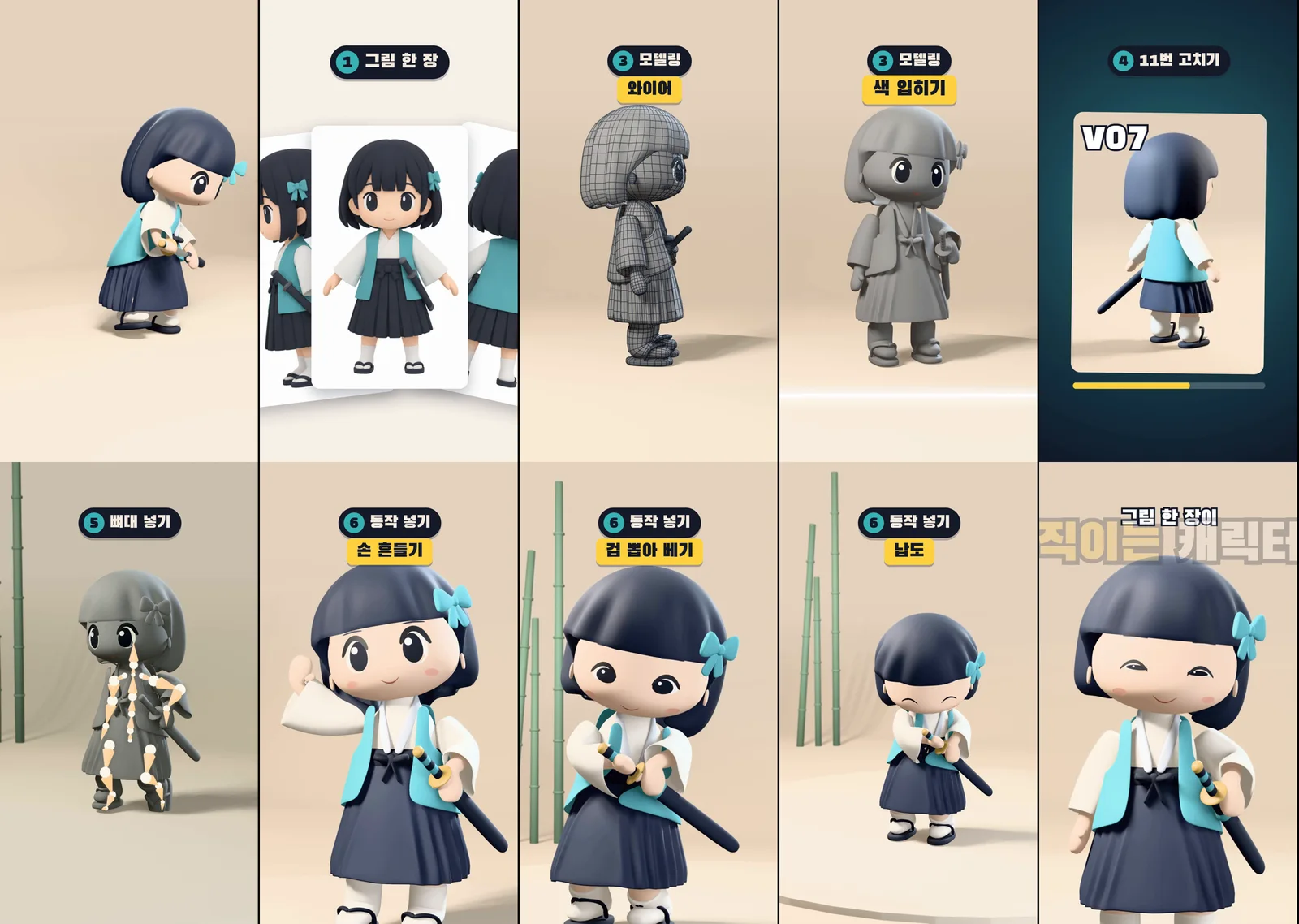
| Auto-Rig Pro(affiliate link) | Rigging characters, moving animation between skeletons | 2.93 – 5.2 | Retargeting Mixamo animations with Auto-Rig Pro |
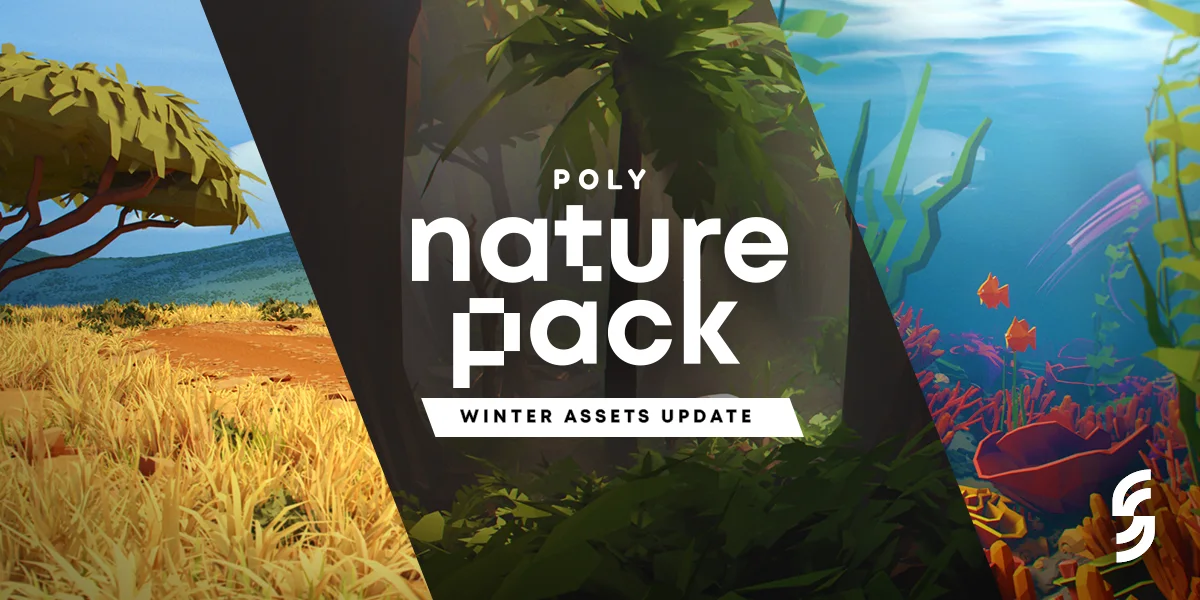
| Poly Nature Pack(affiliate link) | Low-poly trees, grass and rocks asset pack | 4.0 – 5.0 | Poly Nature low-poly nature scenes |
Affiliate links: if you buy through the product links in this table or the Superhive link below, part of the purchase comes back to AZTechnology as a commission.
Applying checklist item 1 to the second row: Poly Nature Pack's product page lists up to 5.0. To use it in 5.2, check the product page and the creator's notes for the latest supported version. The tested guide shows it running in 5.2.1, so read that too. Supported-version labels can change, so always check the product page's current value when you buy.
You can find other Blender add-ons and assets by browsing Superhive(affiliate link).
Exercises
- Pick one add-on you want and fill in the seven checklist rows from section 5.
- Search the Extensions Platform for a free extension that does the same job, and write down what you find.
- If one product is sold both on Superhive and somewhere else, write down how their update and refund terms differ.
Common mistakes and fixes
| Symptom | Cause | Fix |
|---|---|---|
| A bought add-on won't enable in my Blender | Unsupported Blender version | Check supported versions before buying; if already bought, ask the creator (within the support period, an answer within 3 business days) |
| No more updates | The support period ended, or the product is not in the program | Extend the support period, or check the product page for program status |
| A mistaken purchase is hard to refund after downloading | Downloaded mistaken purchases need creator approval | Ask right away, before downloading |
| Not sure if an asset can go in a game I sell | Didn't read the asset license | Check commercial-use terms on the product page and license file |
| Found out it was already built into Blender | Didn't look for a free alternative | Checklist item 7: Extensions Platform and release notes first |
Summary
Add-on code is GPL (it can be sold, and buyers get it under the GPL), assets follow the store's license, and your work is yours. Superhive gives opted-in products 12 months of support and a 30-day refund window. Before buying, check supported versions, the support period and free alternatives.
References
- blender.org, License (add-ons, ownership of your work): https://www.blender.org/about/license/
- Blender Extensions Platform, About: https://extensions.blender.org/about/
- Superhive help, Support Periods Overview: https://support.superhivemarket.com/article/340-support-periods-overview
- Superhive help, Refund Policy: https://support.superhivemarket.com/article/22-refund-policy
- Superhive help, Product Versioning: https://support.superhivemarket.com/article/301-product-versioning
- Read next: Installing and managing Blender add-ons and extensions, Where to get free assets and textures for Blender, Add-ons I use
- Image license: Figures 1–5 are parts of official pages shown for explanation; Figure 6 is an official image from the product page (source credited).