Local AI vs cloud AI: what is the difference?
Local AI runs on your own device, and cloud AI runs on a company's servers. This guide compares their differences in privacy, cost, performance, and required specs.
한국어English
Based on: official documentation from Google (Android and Chrome), Microsoft, Apple, Ollama, and Anthropic. Checked in September and October 2026. Device conditions and release schedules change often.
AI is split into local AI and cloud AI by where it runs. Local AI does the calculation inside your phone or PC, so once you have the model, you can use it without the internet, and it does not send what you type to a server for the calculation. On the other hand, it depends on your device's performance, and the models are small. Cloud AI runs on a company's large servers, so you can use much bigger and more capable models. But it needs the internet, what you type is sent to the server, and it comes with free or monthly plans or usage-based fees. This guide sums up the differences between the two in a comparison table, shows how companies such as Google, Microsoft, and Apple actually mix them, and explains how to choose the approach that suits you.
AI that works in airplane mode
When people think of AI, they usually picture a huge computer somewhere across the internet. But some AI features now work even when the internet is off. For example, Google explains that Gemini Nano processes prompts inside the device, so there are no server calls, it works offline, and sensitive data stays on the device. Features that summarize text, fix spelling, or rewrite sentences inside your phone are built this way.
First, here are the terms used in this guide.
- Local AI: The AI model does the calculation directly on your own device (phone, laptop, or desktop). It is also called "on-device AI." On-device simply means "on the device."
- Cloud AI: The AI model runs on servers in a company's data center, and your device only sends questions and receives answers over the internet. The cloud is "someone else's computer across the internet."
- Model: The result of an AI's training, a large file that actually produces the answers. Where this file sits and where it is calculated is what separates local from cloud.
Comparison: home cooking vs delivery
The difference between the two is like the difference between home cooking and delivery.
Local AI is like cooking at home. The ingredients and kitchen are all in your house, so you never have to tell a restaurant what you are eating, and you do not pay a delivery fee for every meal. On the other hand, you can only cook what your kitchen size and tools (= your device's performance) allow, and setting up the kitchen at the start takes space and money.
Cloud AI is like ordering delivery from a big restaurant. The restaurant has a large kitchen and skilled cooks (= big servers and big models), so you can get dishes that are hard to make at home. On the other hand, your order goes to the restaurant, you can only order when the phone line is connected (= the internet), and it costs money, either per order or as a monthly subscription.
Neither one is always better. You choose based on what you want to eat today (what job you want to hand over).
Comparison table at a glance
| Item | Local AI (on-device) | Cloud AI |
|---|---|---|
| Where it runs | The chips in your phone or PC (the CPU, which acts as the brain, the GPU for graphics, and the NPU for AI calculation) | Servers in a company's data center |
| Internet | Needed to download or update the model, not needed for the calculation | Needed every time you use it |
| Data movement | Not sent outside the device for the model's calculation (check the app's policy to see whether the app sends it separately) | What you type is sent to the server |
| Cost structure | Often no per-call fee, but it uses your device's storage, electricity, and hardware | Free or monthly plans, or fees by usage (API) |
| Model size and ability | Small models, because they must fit on the device | Large, capable models |
| Required specs | Has conditions such as storage space, GPU memory, or RAM | Works on most devices with an internet connection |
| How much it reads at once (context window) | Example: Ollama's default is 4096 tokens (on PCs with less than 24 GB of VRAM), and you can raise it in the settings | Example: up to 1 million tokens for many of the latest Claude models |
| Typical examples | Gemini Nano, Phi Silica (to be replaced by Aion Instruct in January 2027), Ollama local models | Server models such as Claude and Gemini Pro/Flash |
The context window in the table is the amount of text the AI can read and remember at once, and a token is the unit the AI uses to split text into small pieces and count it. Of the numbers in the table, Ollama's (4096 tokens) is the default for PCs with less than 24 GB of VRAM. With more VRAM, the default is larger, and you can change it with an environment variable or the num_ctx setting. Claude's (1 million tokens) is the maximum for each model, so it can be smaller depending on the model. Do not read the two numbers directly as a difference in performance.
The term NPU may also be new to you. An NPU is a chip made only for AI calculation, designed to run AI on little power. Microsoft's Copilot+ PCs, covered below, are a typical example of computers with an NPU.
Real examples by company
Google: Gemini Nano in phones and browsers
On Android, Gemini Nano runs through a system service called AICore. AICore uses the device's hardware to speed up inference (the process in which the model calculates an answer), and it also manages model delivery and updates. Google names three benefits: sensitive data stays on the device, it works offline, and it lowers the inference cost an app would pay to use a large model.
There are also limits. Inference speed depends on the device's hardware, it needs a compatible Android device, and it is less capable than cloud models. Short text such as chats or blog posts is handled by the on-device model, but large material such as PDFs, or tasks that need extra knowledge, may need the more powerful Gemini models in the cloud (Pro, Flash).
Gemini Nano is also built into the Chrome browser as built-in AI. However, it does not work on just any computer. The conditions are as follows.
- Operating system: Windows 10 or 11, macOS 13 or later, Linux, or ChromeOS on Chromebook Plus devices. Chrome for phones (Android, iOS) is not supported yet.
- Storage space: The drive with your Chrome profile needs at least 22 GB of free space.
- Computing device: On the GPU, VRAM (the graphics card's own memory) must be more than 4 GB. On the CPU, you need 16 GB of RAM or more and 4 cores or more.
- Network: The first model download needs a connection without separate data charges. After that, you do not need one.
Microsoft: Phi Silica in Windows
Microsoft offers Phi Silica, a language model that runs locally on Windows. Phi Silica is not an app that users open themselves. It is a feature (API) that Windows app developers build into their own apps. On top of that, it is classed as a Limited Access Feature, which needs separate permission to use. Regular users meet it indirectly, through apps that include this feature.
It can run in two places. On Copilot+ PCs, it runs on the NPU, and the model for this NPU comes preinstalled on Copilot+ PCs. There is also a way to run it on the GPU, but this is still experimental. It needs a build from the Experimental channel of the Windows Insider Program, developer mode, an NVIDIA RTX 30 series or newer or an AMD Radeon RX 9060 series or newer (6 GB of VRAM or more), and the latest driver downloaded directly from the maker. The GPU model is not preinstalled and is downloaded at a size of several GB the first time it is used, so Microsoft recommends that apps ask for the user's consent before downloading it.
The NPU and GPU differ. The NPU uses power efficiently, so it suits running on battery. On the GPU, it uses more power, and response speed depends on the graphics card generation, its memory, and the load at that moment. It is the same model, so the quality of the answers is the same.
Microsoft's official documentation gives a schedule for replacing Phi Silica with a new on-device model, Aion Instruct. A test package comes out first in early October 2026, and in November 2026, Aion Instruct starts rolling out to Windows Insider devices. At that point, Phi Silica remains as well. In January 2027, as it rolls out to regular devices, Phi Silica is removed. Also, the Phi Silica feature is not offered in China. If you read this guide after January 2027, the name will have changed to Aion Instruct, but the idea of "a small language model that runs inside a Windows PC" stays the same.
Apple: the device first, the server only when needed
Apple treats processing inside the device as the center of its security and privacy. It sends only complex requests that need a bigger model to Apple servers called Private Cloud Compute (PCC). Apple explains that personal data sent to PCC cannot be seen by anyone other than the user, not even Apple staff, that it is used only to process the request, and that it is not kept in any form after the response is returned.
This approach is like a phone calculator and a bank counter. Simple sums end on the calculator in your hand, and you go to the counter only for a big transaction. Even features that use local AI can be designed to hand work to a server when needed like this, so you cannot assume that "local AI = nothing ever leaves the device."
Ollama: a tool for running models on your own PC
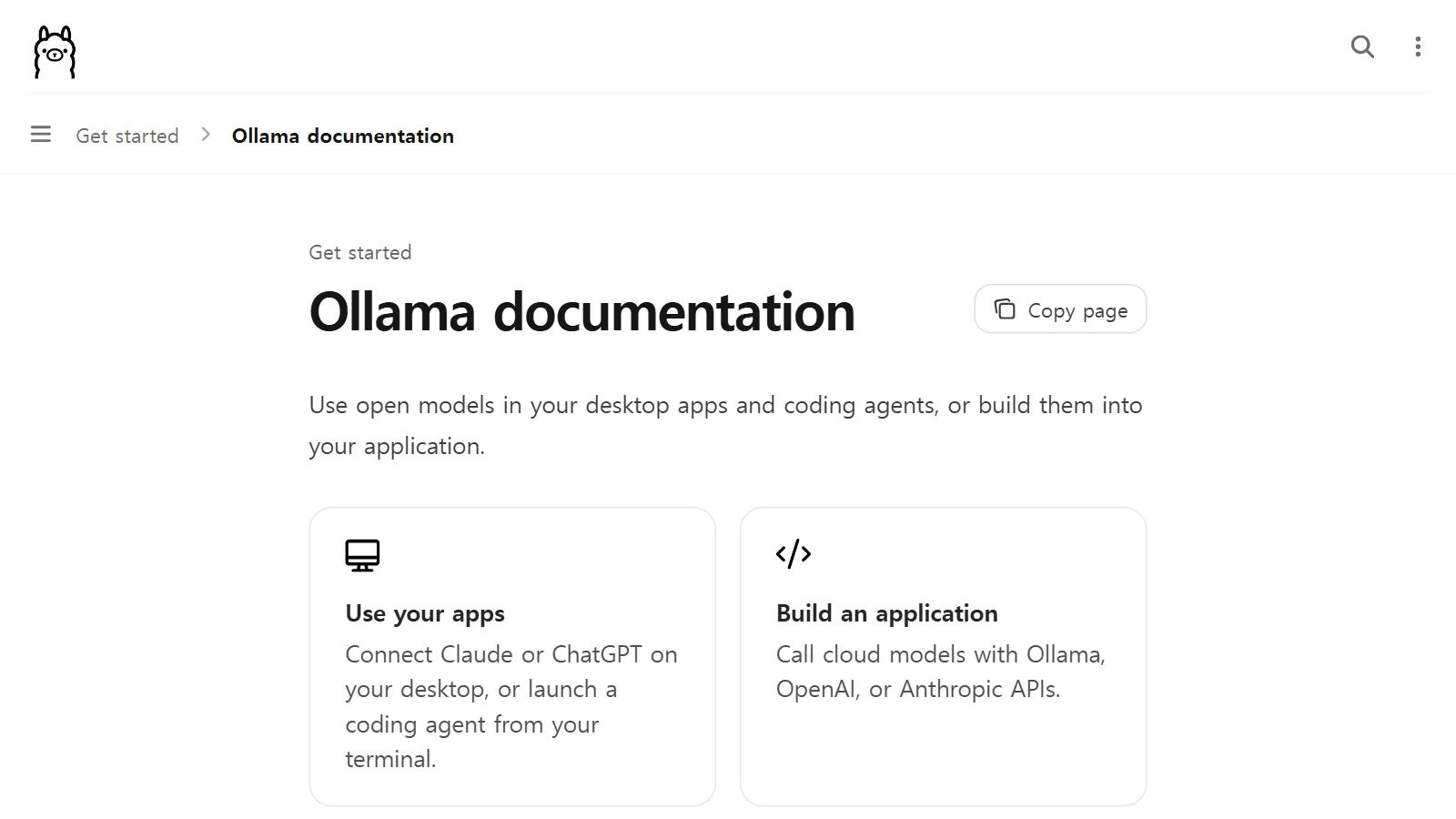
Apart from features that companies build in ahead of time, you can also download public models yourself and run them on your PC. Ollama is a tool that lets you use public (open) models in desktop apps, coding tools, or apps you make yourself. Its features are as follows.
- Model files are stored on your disk. On Windows, they go in
.ollama\modelsunder your user folder. - The FAQ states that when it runs locally, Ollama does not see the user's prompts or data.
- There is a setting that turns off the cloud features and runs it fully offline.
- If a model does not fully fit in the graphics card memory, it is split between the GPU and CPU. The
ollama pscommand shows how much each of the GPU and CPU is using. In other words, your computer's memory has a big effect on speed. - The default context window depends on the VRAM size. On PCs with less than 24 GB of VRAM, it is 4096 tokens, and you can raise it with the
OLLAMA_CONTEXT_LENGTHenvironment variable or thenum_ctxsetting. The higher you set it, the more memory it uses. - It opens an API server inside your computer (
http://localhost:11434/api) so that other programs can send questions to this local model. An API is an agreed window through which programs exchange requests and answers.
Ollama also lets you choose "cloud models" that run on servers without a local GPU, alongside local models. Even a local tool has left the door open to mixing in the cloud.
How much RAM each model size needs differs by model. Check the official page of the model you want to download.
A cloud example: Claude
Anthropic's Claude is an example of cloud AI. Claude runs on Anthropic's servers or on clouds such as AWS, Google Cloud, and Azure, and you call it over the internet through an API.
On privacy, Anthropic's privacy information states that by default it does not use the inputs and outputs of commercial products, such as the API, for model training. The exceptions are when you send feedback, such as a thumbs up or down, or when the user has explicitly allowed it. Also, what most people use is not the API but the Claude app. For personal plans of the Claude app, such as Free, Pro, and Max, there is a separate document on the training use policy, and the user chooses in the privacy settings whether conversations can be used to improve the model. As you can see, policies differ by product and plan even within the same company. Check the privacy documents of the service you plan to use yourself.
The trend of mixing local and cloud
Put the examples above together and one thing they share stands out. No company asks you to choose only local or only cloud.
- Chrome's documentation lists fast responses, lower server costs, and easier privacy protection as benefits of local (client) AI, and it also explains how to set up a cloud fallback path with Firebase AI Logic.
- Microsoft recommends that apps where response time matters consider a fallback path that hands work to the cloud with the user's consent.
- Google Android advises handling short text on the device and splitting off large material or tasks that need extra knowledge to cloud models.
- Apple uses a structure that does simple work on the device and sends only complex work to the server.
Going back to the earlier comparison, it is home cooking on normal days, delivery on special days. You handle light everyday meals at home and order from a restaurant only when you need a dish that is hard to make in your own kitchen. AI is also moving toward splitting the work by its nature.
Choosing the approach that suits you
Find the row in the table below that is closest to your situation.
| Situation | Better fit | Why |
|---|---|---|
| When you handle material you do not want to send out, such as internal company documents or personal records | Local | It does not send what you type to a server for the model's calculation (also check the app's policy) |
| When the internet is unstable or you must work offline | Local | Once the model is downloaded, it works without a network |
| When you often do light tasks such as summarizing short sentences or proofreading | Local | Often has no per-call fee |
| When it needs to read a long report or several files at once | Cloud | You can choose a model with a large context window |
| When you need complex reasoning, coding, or high-quality writing | Cloud | Bigger, more capable models |
| When your PC's specs are low or storage space is short | Cloud | Has almost no device requirements |
If you want to try local AI yourself, the order is roughly this.
- Check in the official documentation that your device meets the conditions (operating system, storage space, GPU memory, RAM).
- The first time, connect to the internet and download a model several GB in size.
- Start by giving it light tasks, and see whether the speed and answer quality satisfy you.
- Hand only the tasks where it falls short over to cloud AI.
Five common misunderstandings
- "Local AI is as smart as cloud AI." On-device models are generally less capable than cloud models. Long documents or tasks that need extra knowledge may need the more powerful cloud models.
- "Everything you put into cloud AI is used for training." It differs by service and plan. For example, Anthropic states that it does not use the inputs and outputs of its commercial API for training by default. For the personal Free, Pro, and Max plans of the Claude app, it has separate guidance and lets you choose in the settings whether your data is used to improve the model. Check the policy of the service you use.
- "Local AI runs for free on any computer." There is often no call fee, but there are conditions such as the operating system, storage space, and GPU memory or RAM, and downloading a model takes several GB.
- "If it is local, you never need the internet." You need the internet when you first download the model and when you update it.
- "You have to pick just one of the two." Google, Microsoft, and Apple all give their guidance on the assumption that you mix the two.
Summary
The difference between local AI and cloud AI starts from one thing: whether the calculation happens on your device or on a company's server. From that follow the differences in privacy (whether data goes to a server), cost (whether you need per-call fees or a subscription), performance (how big a model you can use), and required specs (whether your device can handle it). Give sensitive, light work to local AI and big, difficult work to cloud AI. However, product names and requirements change often, so check the official documentation once before you use them.
References
- Android Developers, Gemini Nano — https://developer.android.com/ai/gemini-nano
- Android Developers, AI on Android overview — https://developer.android.com/ai/overview
- Chrome for Developers, Get started with built-in AI — https://developer.chrome.com/docs/ai/get-started
- Chrome for Developers, Built-in AI — https://developer.chrome.com/docs/ai/built-in
- Microsoft Learn, Get started with Phi Silica in the Windows App SDK — https://learn.microsoft.com/en-us/windows/ai/apis/phi-silica
- Apple Security Research, Private Cloud Compute — https://security.apple.com/blog/private-cloud-compute/
- Ollama Docs — https://docs.ollama.com/
- Ollama Docs, Context length — https://docs.ollama.com/context-length
- Ollama FAQ — https://docs.ollama.com/faq
- Ollama API introduction — https://docs.ollama.com/api/introduction
- Ollama README — https://github.com/ollama/ollama/blob/main/README.md
- Anthropic, API overview — https://platform.claude.com/docs/en/api/overview
- Anthropic, Context windows — https://platform.claude.com/docs/en/build-with-claude/context-windows
- Anthropic Privacy Center, Is my data used for model training? (commercial products) — https://privacy.claude.com/en/articles/7996868-is-my-data-used-for-model-training
- Anthropic Privacy Center, Is my data used for model training? (Claude Free, Pro, and Max) — https://privacy.claude.com/en/articles/10023580-is-my-data-used-for-model-training